
PDF 生成模板编辑器
开源可视化 PDF 生成引擎,支持自定义模板,并提供面向开发者的 API,灵活构建文档生成流程。
您可以通过两种方式集成 SDK:
通过 ComPDF GitHub 仓库:
在 MyApp 文件夹中,通过以下命令安装 @compdfkit_pdf_sdk/react_native:
yarn add github:ComPDFKit/compdfkit-pdf-sdk-react-native通过 ComPDF npm 包:
在 MyApp 文件夹中,运行以下命令:
yarn add @compdfkit_pdf_sdk/react_nativeandroid/app/src/main/AndroidManifest.xml,添加网络和 存储权限:<manifest xmlns:android="http://schemas.android.com/apk/res/android"
package="com.compdfkit.flutter.example">
<!-- 在线认证License需要使用网络权限! -->
+ <uses-permission android:name="android.permission.INTERNET"/>
<!-- 需要从设备存储中读取和写入文档 -->
+ <uses-permission android:name="android.permission.READ_EXTERNAL_STORAGE"/>
+ <uses-permission android:name="android.permission.WRITE_EXTERNAL_STORAGE"/>
<!-- 可选配置 -->
+ <uses-permission android:name="android.permission.MANAGE_EXTERNAL_STORAGE" />
<application
+ android:requestLegacyExternalStorage="true"
...>
...
</application>
</manifest>assets 目录中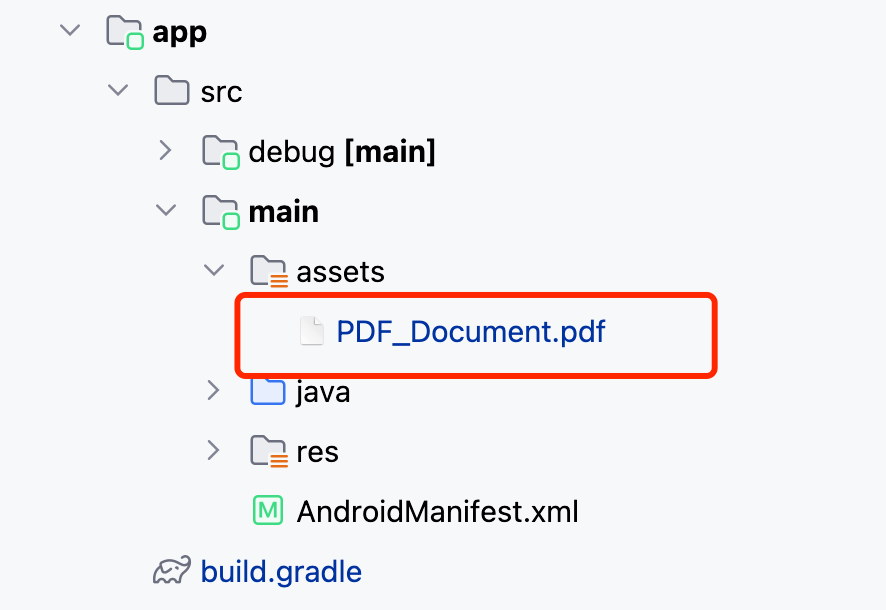
App.js(或 App.tsx)。react-native run-android。open ios/Podfiletarget 'MyApp' do ... end 区块中添加以下代码行:target 'MyApp' do
# ...
+ pod "ComPDFKit", podspec:'https://file.compdf.com/cocoapods/ios/compdfkit_pdf_sdk/3.0.1/ComPDFKit.podspec'
+ pod "ComPDFKit_Tools", podspec:'https://file.compdf.com/cocoapods/ios/compdfkit_pdf_sdk/3.0.1/ComPDFKit_Tools.podspec'
# ...
end注意: 如果运行 pod install 时 SSL 网络请求无法下载 ComPDF 库,可以使用以下方法替代。
target 'MyApp' do
    # ...
+  pod 'ComPDFKit', :git => 'https://github.com/ComPDFKit/compdfkit-pdf-sdk-ios-swift.git', :tag => '3.0.1'
+  pod 'ComPDFKit_Tools', :git => 'https://github.com/ComPDFKit/compdfkit-pdf-sdk-ios-swift.git', :tag => '3.0.1'
    # ...
end在 ios 文件夹下,运行 pod install。
打开你项目的 Workspace 在 Xcode 中:
open ios/MyApp.xcworkspace确保部署目标设置为 12.0 或更高:
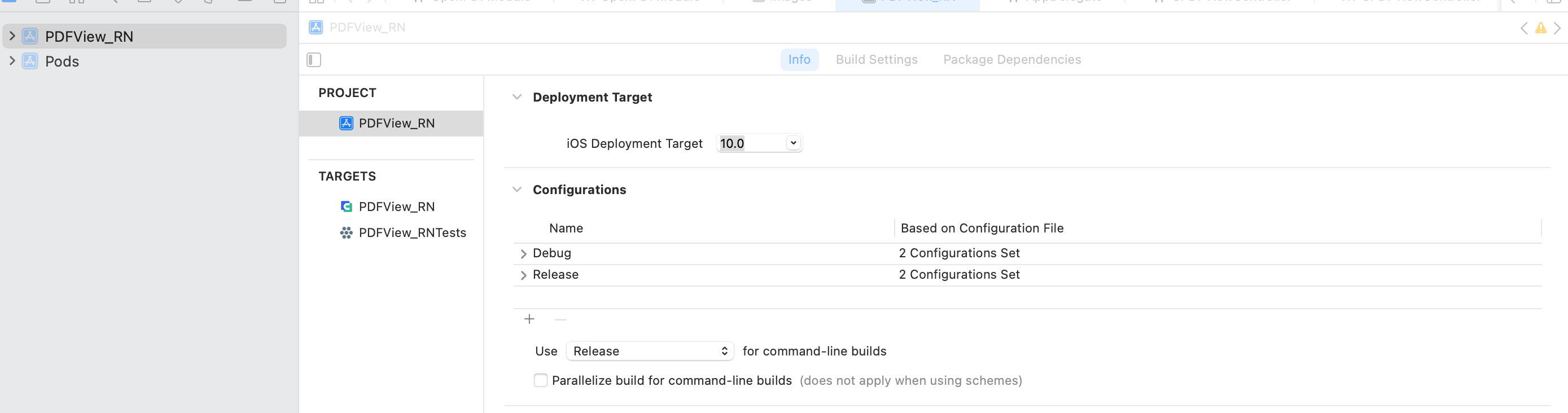
通过将 PDF 文档拖放到项目中添加要显示的 PDF 文档。在弹出的对话框中,选择完成以接受默认的集成选项。你可以使用 "PDF_Document.pdf" 作为示例。
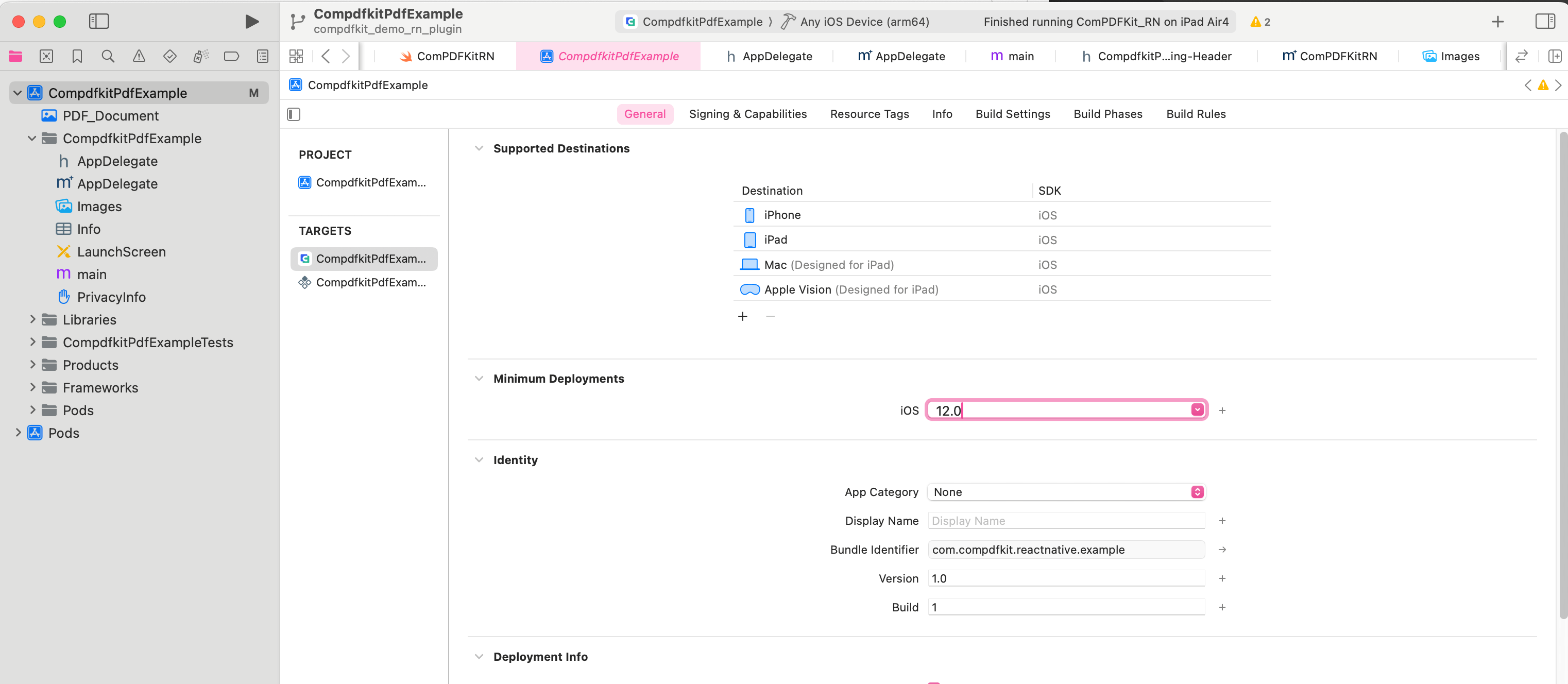
<key>NSCameraUsageDescription</key>
<string>Your consent is required before you could access the function.</string>

<key>NSMicrophoneUsageDescription</key>
<string>Your consent is required before you could access the function.</string>

<key>NSPhotoLibraryAddUsageDescription</key>
<string>Your consent is required before you could access the function.</string>

<key>NSPhotoLibraryUsageDescription</key>
<string>Your consent is required before you could access the function.</string>

<key>NSAppTransportSecurity</key>
	<dict>
		<key>NSAllowsArbitraryLoads</key>
		<true/>
</dict>App.js(或 App.tsx)。react-native run-ios。