Manual reviews
Approvals rely on emails and disconnected files.
Embed PDF review, annotation, AI extraction, and approval capabilities into construction platforms to help reduce approval bottlenecks and support more efficient project execution.
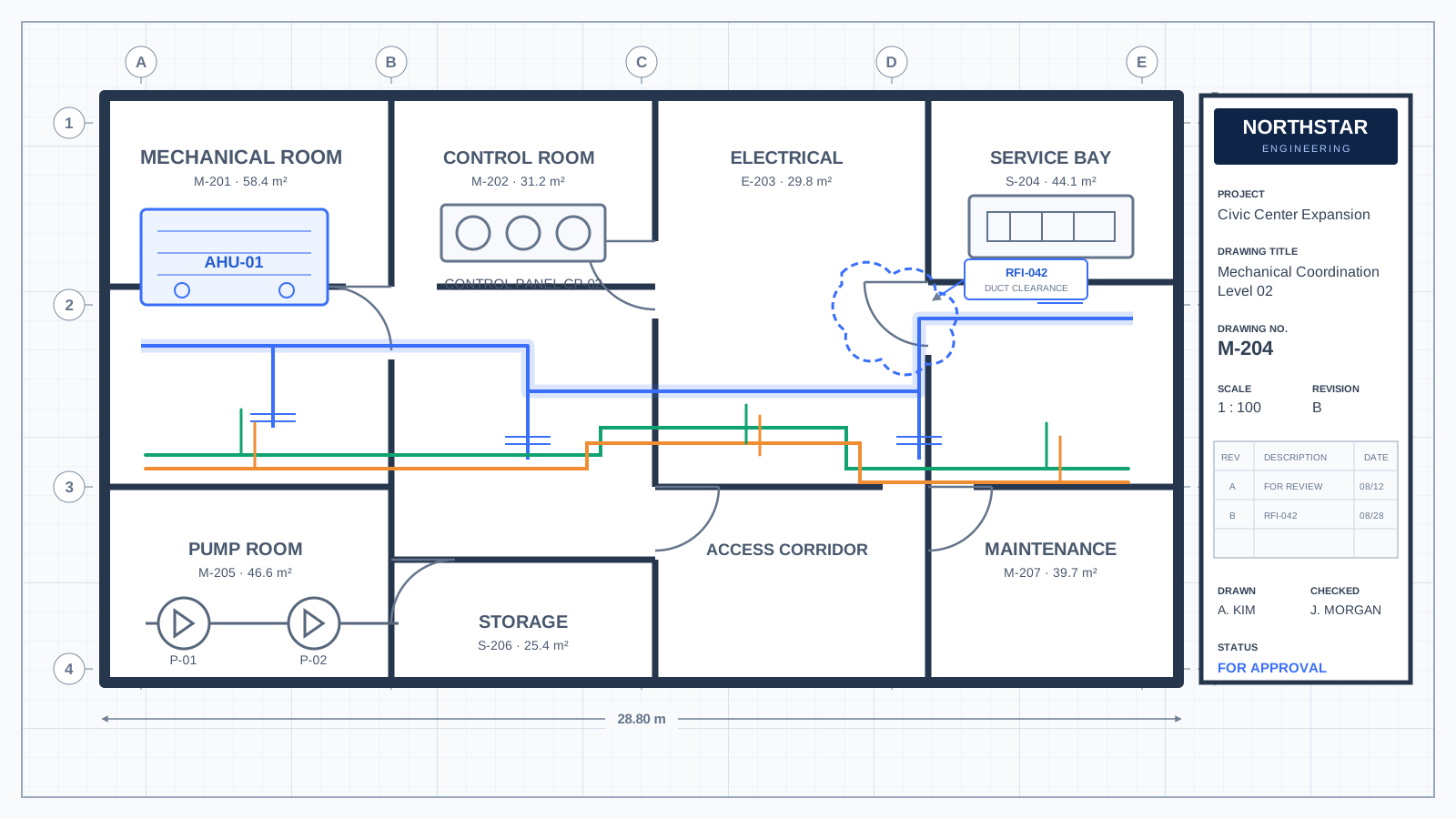
When review, annotation, decision-making, and storage live in disconnected tools, the project team loses time and confidence at every handoff.
Approvals rely on emails and disconnected files.
Critical documents wait days or weeks for review.
Stakeholders review outdated revisions without context.
Teams struggle to identify approval bottlenecks.
Review, approval, and storage happen in different systems.
Incomplete approvals increase operational exposure.
ComPDF gives construction platforms the document intelligence they need without replacing the operational systems teams already use.
Allow teams to review documents without leaving the application.
Give reviewers the markup tools needed to resolve issues in context.
Compare revisions side by side or as an overlay to make changes clear.
Extract approval-related information and return it as structured data.
Generate standardized PDF approval packages for the next handoff.
Capture review history, version changes, timestamps, and user actions.
Move from a project file to a review-ready, data-rich approval record without leaving the application.
Follow every review, annotation, comparison, extraction, approval, and audit step in one connected construction document workflow.
Build embedded construction approval experiences with the SDKs, APIs, architecture guidance, and implementation resources your team needs.
const viewer = new ComPDFViewer({
  container: "#approval-viewer",
  documentUrl: "/shop-drawings/revision-b.pdf",
  enableAnnotations: true,
  enableComparison: true,
  enableMeasurement: true
});

viewer.load();ComPDF complements your existing systems by providing embedded PDF and approval capabilities without replacing your operational platforms.
Choose the deployment model, access controls, and audit readiness that match your operating environment.
A deployment option for teams moving from proof of concept to production.
Greater control over processing, access, and operational boundaries.
Enterprise flexibility for regulated and distributed construction teams.
Field-ready execution when work continues beyond the office network.
Answers for operations, product, and technical teams evaluating embedded construction document approval infrastructure.
Embed the viewer and review controls in the application your teams already use, then connect annotation, AI extraction, approval decisions, and archiving to the project workflow.
Yes. ComPDF supports embedded viewing, annotation, measurement, revision comparison, and approval records for shop drawings and related project documents.
Yes. Compare revisions side by side or with an overlay to surface drawing, specification, and inspection report changes.
ComPDF can support review history, annotation history, version changes, approval timestamps, and user actions as part of your application workflow.
Yes. ComPDF offers cloud API, self-hosted, private cloud, and offline mobile options; confirm the available model for your platform and requirements.
ComPDF complements systems such as Procore, Viewpoint, Microsoft Dynamics, NetSuite, Salesforce, and custom construction applications through SDK and API integration.
ComPDF AI can extract fields such as project IDs, vendor names, approval dates, inspector information, cost impacts, and compliance statuses into structured output.
Offline mobile support can be designed into field workflows so teams can continue document work beyond the office network.
Evaluate ComPDF SDK and ComPDF AI for embedded review, annotation, document comparison, AI extraction, approval generation, and secure deployment.