
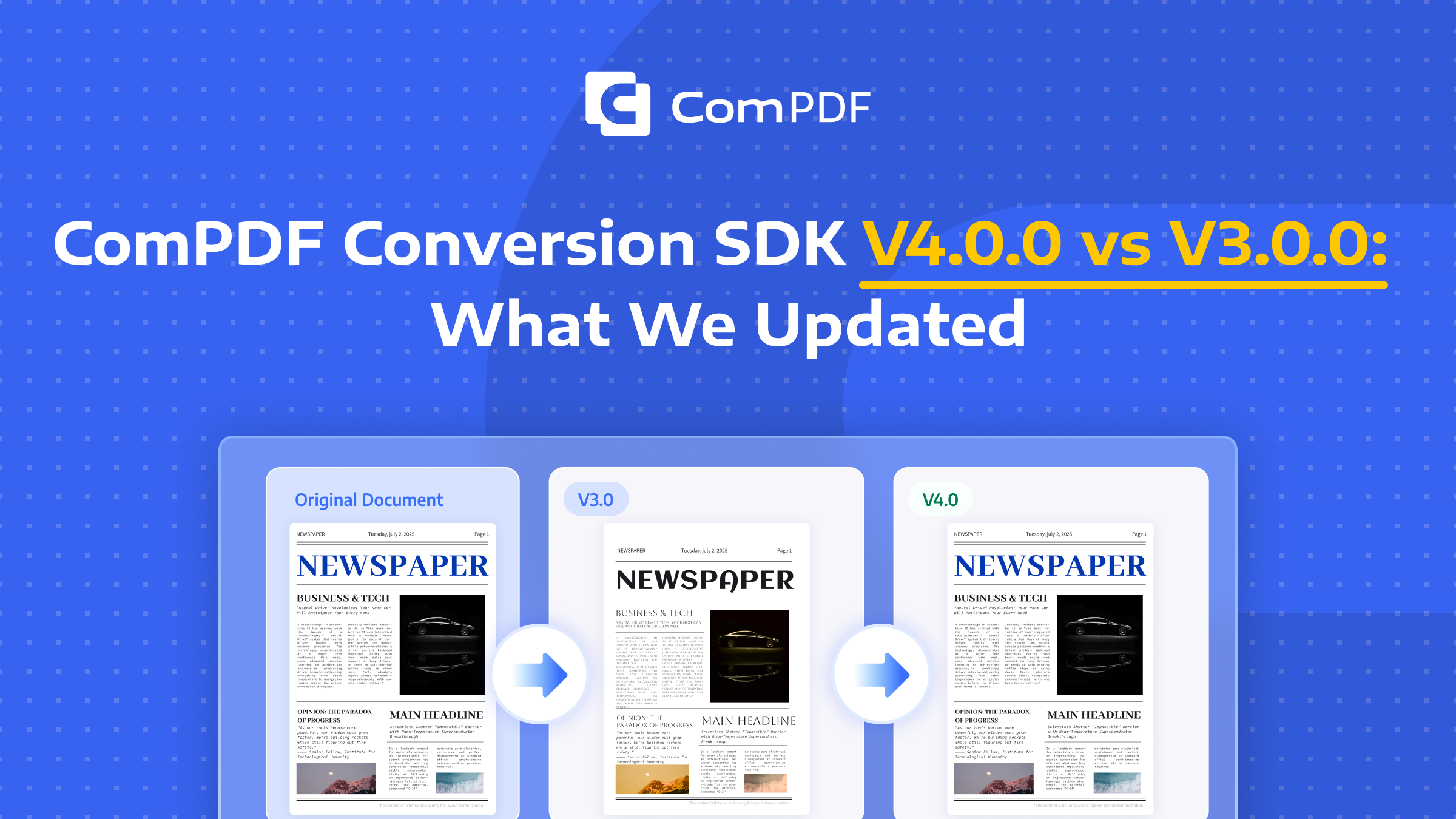
To further improve PDF conversion accuracy, ComPDF Conversion SDK V4.0.0 delivers a comprehensive upgrade over V3.0.0. It significantly improves restoration quality in PDF conversion with more refined OCR recognition and AI-powered table recognition, and introduces enterprise-grade capabilities such as Searchable PDF, Searchable OFD, and multi-threaded concurrent processing for high-volume batch conversion.
This release is ideal for enterprises that require both higher conversion fidelity and faster processing speed.
Core Upgrades in ComPDF Conversion SDK V4.0.0 & Effect Comparison
1. Multi-threading Support: Faster PDF Conversion
When processing hundreds or thousands of documents, single-threading is constrained by single-core utilization and sequential processing bottlenecks, resulting in severely insufficient overall throughput. V4.0.0 officially supports external multi‑threaded invocation, employing thread pools and task partitioning to split batch documents into multiple parallel workflows, significantly improving system concurrency and resource utilization.
Typical scenarios include:
- SaaS document platforms (multi‑tenant concurrent requests)
- Enterprise document centers (petabyte‑scale batch migration)
- Large‑scale OCR services (thread scheduling optimization for CPU/GPU heterogeneous preprocessing)
- AI document processing platforms (pipeline parallelism for preprocessing and inference)
- Automated archival systems (high‑frequency batch processing of small files)
For high‑concurrency workloads, upgrading from single‑thread to multi‑thread can significantly reduce total processing time (especially for I/O‑intensive or mixed workloads), while reducing the number of server nodes required to meet SLAs, directly lowering infrastructure costs.
2. PDF Layout Restoration Upgraded by Refined Text and Paragraph Styles
At its core, high-precision layout restoration represents OCR technology's deep understanding of a document's original structure and visual perception. Compared to V3.0.0, ComPDF Conversion SDK V4.0.0 delivers more refined layout and style restoration through the following key improvements:
- Style restoration support – More detailed preservation of original text attributes (font, size, color) and image positions, reduces layout inaccuracies caused by style mismatches.
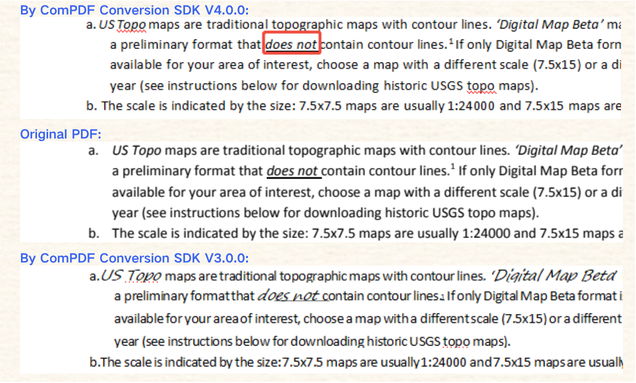
- More natural paragraph reconstruction – Upgrades paragraph alignment restoration, aggregation logic, line height, and more. It reduces issues such as paragraph crowding and inconsistent paragraph alignment.
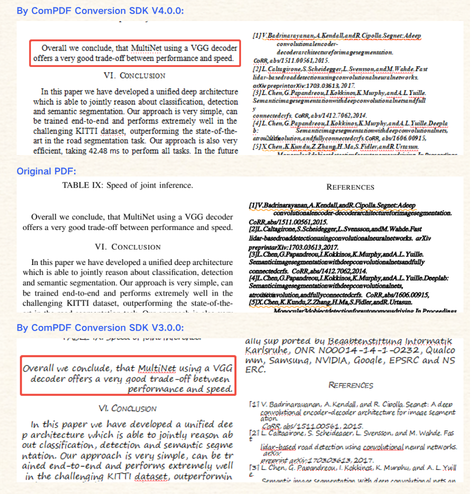
- More accurate line and character spacing – Resolves common OCR issues such as text crowding or excessive looseness, resulting in a cleaner, more professional overall layout
- Output layout closer to the original document – From element positioning to full-page composition, achieves high-fidelity restoration that preserves the original visual hierarchy
Through these enhancements, V4.0.0 marks a true upgrade from general layout restoration to precision layout restoration when OCR is enabled, delivering more reliable and readable conversion results for document digitization workflows.
3. Integrated AI Table Recognition: Drastically Improved Table Restoration
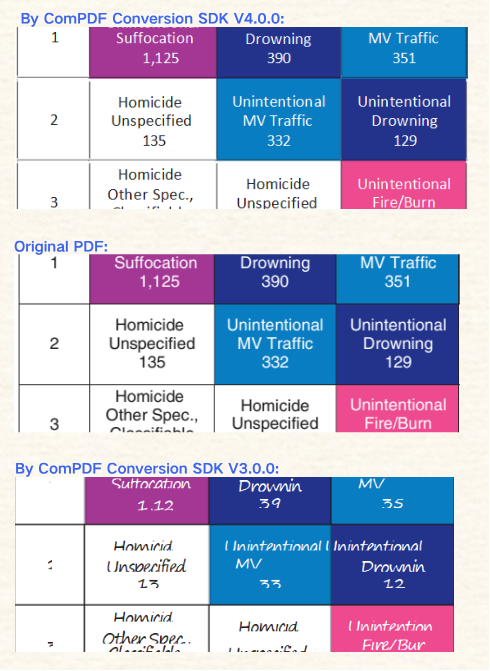
Tables are one of the most difficult parts of PDF conversion. With integrated AI table recognition, V4.0.0 shows clear improvements over V3.0, including:
- Better restoration of bold, font, size, color, and alignment for text inside tables
- Automatic aggregation of multi-line text
- Improved table hierarchy, header-region detection, and merged-cell recognition
Supported outputs: PDF to Word / Excel / PPT / RTF / HTML / Markdown / XML.
Highlight: Text paragraph aggregation inside tables automatically merges multi-line content into natural paragraphs while preserving original alignment.
Performance:
4. Render Vector Graphics (Path Objects) as Images
In many PDFs, beyond text and tables, there are many vector path objects. In V3.0.0, these objects could become missing, misaligned, or visually distorted after conversion. V4.0.0 adds independent image rendering for non-table path objects to achieve:
- More complete preservation of original visual effects
- Reduced graphic distortion
- Improved restoration quality for complex layouts
This is especially effective for flowcharts, structural diagrams, and engineering drawings.
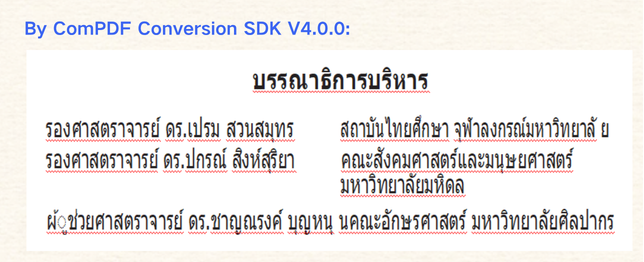
5. Expanded Thai Font Library
As multilingual document processing demand grows, language support becomes a key enterprise SDK capability. V4.0.0 expands Thai font support, delivering:
- Higher Thai character recognition accuracy
- Fewer font substitution issues
- More natural OCR layout outcomes
This further expands the applicability of ComPDF Conversion SDK in Southeast Asia and global business scenarios.
Performance:
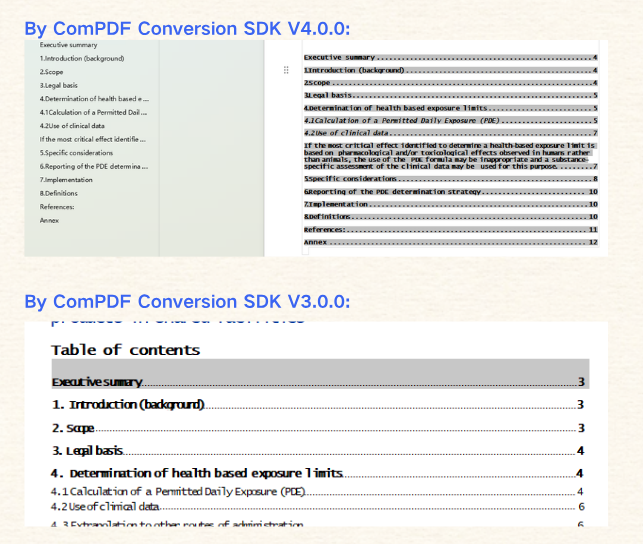
6. Document Directory Link Navigation Support (PDF to Word)
V4.0.0 adds restoration for internal PDF links, including table-of-contents jumps, chapter links, and internal anchors. These links remain usable after PDF to Word conversion.
This is highly valuable for user experience in:
- eBooks
- Technical documentation
- Government standard documents
- Long-form reports
Performance:
Core New Features & Applications in ComPDF Conversion SDK V4.0.0
1. PDF to Searchable PDF Conversion
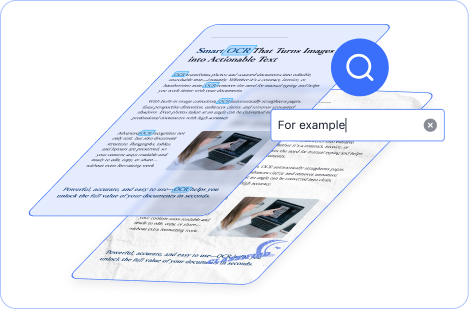
In V4.0.0, ComPDF Conversion SDK introduces searchable PDF as an output format. Its core mechanism preserves the original scanned image layer while overlaying a transparent OCR text layer, enabling full-text search without altering the document’s original visual appearance.
This means users can precisely locate the position of the information they need within the document, achieving efficient information retrieval and content positioning—without text reflow that would disrupt the original layout and visual structure.
This capability is especially valuable in scenarios where preserving the original visual fidelity is critical, such as archival digitization, compliance archiving, legal document storage, and historical document digitalization.
2. PDF/Image to Searchable OFD
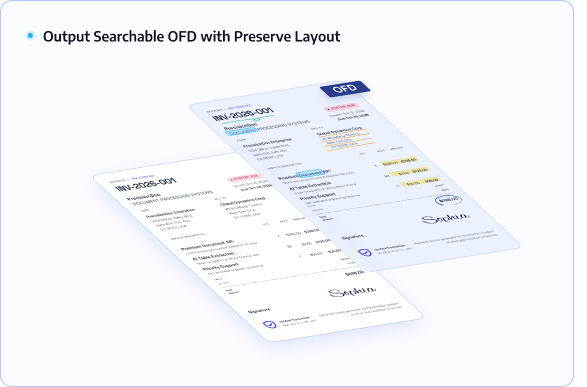
V4.0.0 also adds the ability to convert PDFs and images into searchable OFD files, preserving the original typography, styling, and layout while supporting operations such as search, highlight, and annotation.
OFD is China’s national standard fixed-layout document format for e-government and official digital documents, widely used in government, finance, and large state-owned enterprise archival systems. This upgrade enhances the SDK’s adaptability for compliance scenarios in China.
Summary
To continuously meet customer needs for high-precision conversion and batch processing, ComPDF Conversion SDK V4.0.0 adds multi-threaded high-concurrency processing, Searchable PDF, and Searchable OFD support. It enables full-text search and copy while preserving original visual appearance.
At the same time, it delivers key breakthroughs in text style restoration, AI table recognition, and OCR layout restoration. For scenarios requiring high-accuracy PDF conversion, PDF OCR, PDF to OFD conversion, and enterprise-grade batch conversion, V4.0.0 is a high-priority upgrade version.