
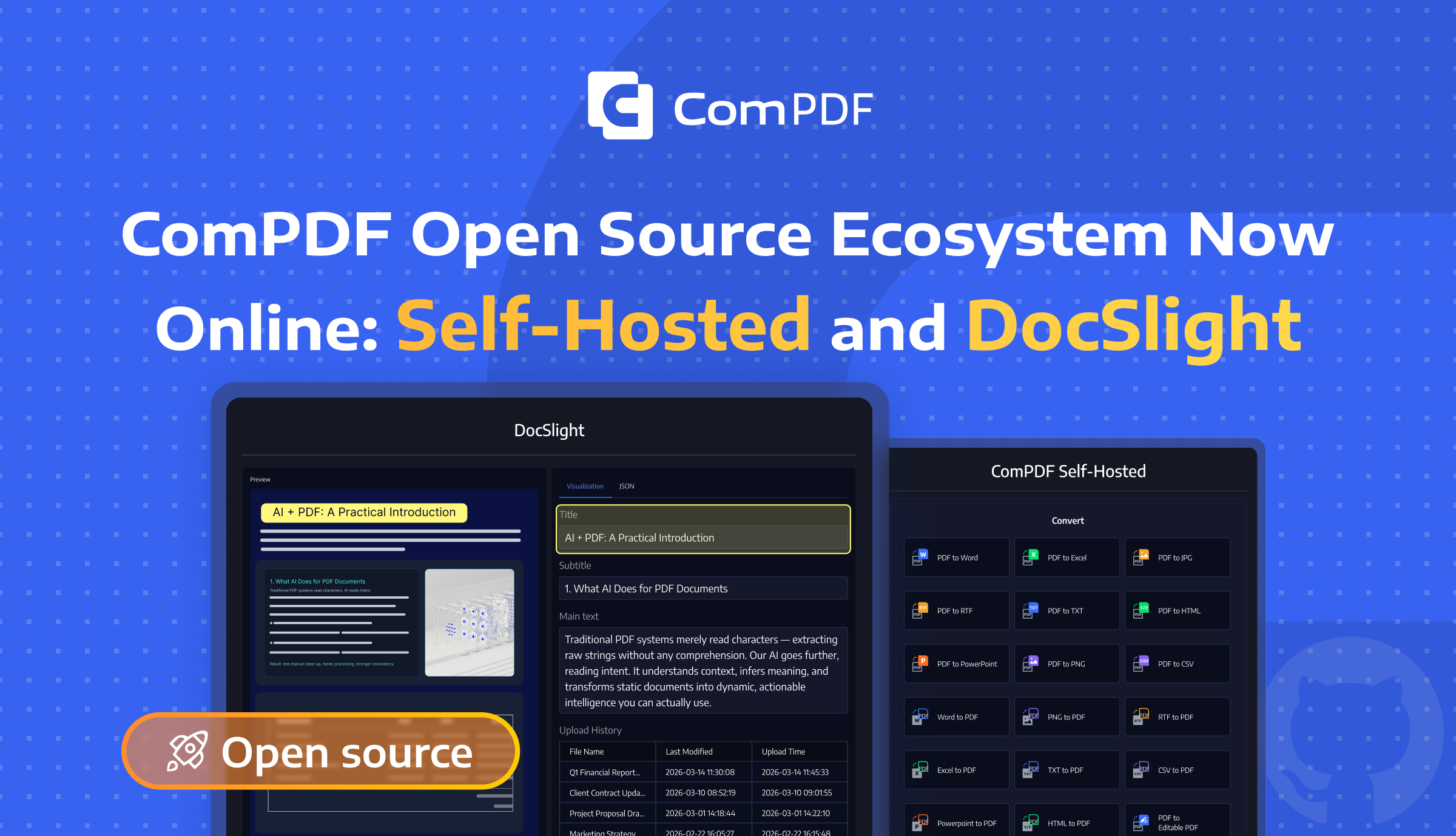
ComPDF open source is now online with two developer-focused projects: ComPDF Self-Hosted and DocSlight.
If you are building document workflows, internal tools, AI pipelines, or self-hosted services, these two projects give you a more practical way to start with source code access, private deployment options, and room to customize around your own product logic.
ComPDF Self-Hosted
ComPDF Self-Hosted is built for teams that need PDF processing infrastructure they can run and control in their own environments. It is a practical foundation for building self-hosted PDF tools, internal document services, and API-connected business workflows.
Supported Features
ComPDF Self-Hosted covers PDF editing, format conversion, backend management, and API calls.
Comparison: Free Open Source vs. Advanced Version
Quick Start
You can explore the source code in the ComPDF Self-Hosted GitHub repository. If you want to try the product experience first, start with the online demo. For deployment details and integration steps, see the developer documentation.
1. Start with Docker Compose
Clone the repository and enter the project directory:
git clone https://github.com/ComPDF/compdf-self-hosted.git
cd compdf-self-hosted
Prepare the environment file before starting services:
cp .env.example .env
.env includes a free License by default for local development, feature evaluation, and API verification. Docker Compose automatically loads .env from the project directory. Start the full stack:
docker compose up -d
Open ComPDF Web and Dashboard:
ComPDF Web: http://localhost:8080/
Dashboard:  http://localhost:8080/admin
The dashboard ships with a default administrator account on first deployment: admin / admin.
To use an Enterprise license, replace COMPDF_LICENSE_KEY in .env with the issued License Key. Restart the services after updating the License Key.
Apply for the Enterprise version to obtain the following benefits:
- Watermark-free document processing
- No limit on the number of document pages processed
- Batch document processing
2. Start the development environment
Development uses Docker for the infra and SDK services, while the server and Web UI can run locally for hot reload.
Start the development stack:
docker compose -f docker-compose.dev.yml up -d --build compdf-infra compdf-app compdf-server
Open ComPDF Web and Dashboard:
cd frontend/compdf-web
npm install
npm run dev
Development URLs:
ComPDF Web: http://localhost:5173/
Dashboard:  http://localhost:5173/admin
Server API: http://localhost:8080/api/v1/
You can also view the Documentation.
3. Check status and logs
docker compose -f docker-compose.dev.yml ps
docker compose -f docker-compose.dev.yml logs -f compdf-infra compdf-app
The production deployment stores persistent data in Docker volumes and mounts ./configs into the server container.
4. Build the production image from source
Keep this path when you have changed the local source code and need to package a new production compdf-server image from the root Dockerfile. The Dockerfile builds ComPDF Web and Dashboard from frontend/compdf-web, copies the static assets into /app/public/compdf-web, builds the server, and serves pages and APIs together on port 8080.
docker compose -f docker-compose.yml up -d --build compdf-infra compdf-app compdf-server
After deployment, developers can validate PDF editing and conversion in the browser, test API access locally, and connect the service to internal systems such as OA, ERP, CRM, contract, or archive workflows.
Why Choose ComPDF Self-Hosted
- Source Code Access: Developers can inspect the repository, understand how the service is structured, and evaluate the project before deeper integration.
- Self-hosted Deployment: It supports local and private-environment deployment, which is important for teams with internal security, compliance, or data control requirements.
- Customize & Integrate: It is suitable for building custom PDF editors, internal PDF platforms, and API-connected document services around your own workflows.
- Control & Flexibility: Compared with cloud-only or closed-source tools, ComPDF Self-Hosted gives developers more control over where the system runs and how it fits into their architecture.
- Practical Product Advantage: The open-source version is not positioned as a stripped-down feature teaser. It gives developers a usable foundation, while advanced value is primarily added through license scope, higher concurrency, stronger governance, and enterprise support.
DocSlight
DocSlight is built for developers who need to turn documents into structured outputs that applications, automations, or large language models can actually use. It is a lightweight path for document parsing, field extraction, and AI document workflow integration.
Supported Features
DocSlight Edition Comparison
Quick Start
You can start with the DocSlight GitHub repository to review the project and run it locally. If you want to preview the parsing workflow first, open the document parsing demo. For setup guidance and deployment instructions, read the developer documentation.
Cloud Mode (Higher accuracy, free quota available)
# 1. Install
pip install docslight

# 2. Set your API key
export COMPDF_API_KEY="your_public_key"

# Get one at https://compdf.com

# 3. Parse with the cloud engine
docslight parse invoice.pdf --mode cloud --output invoice.md
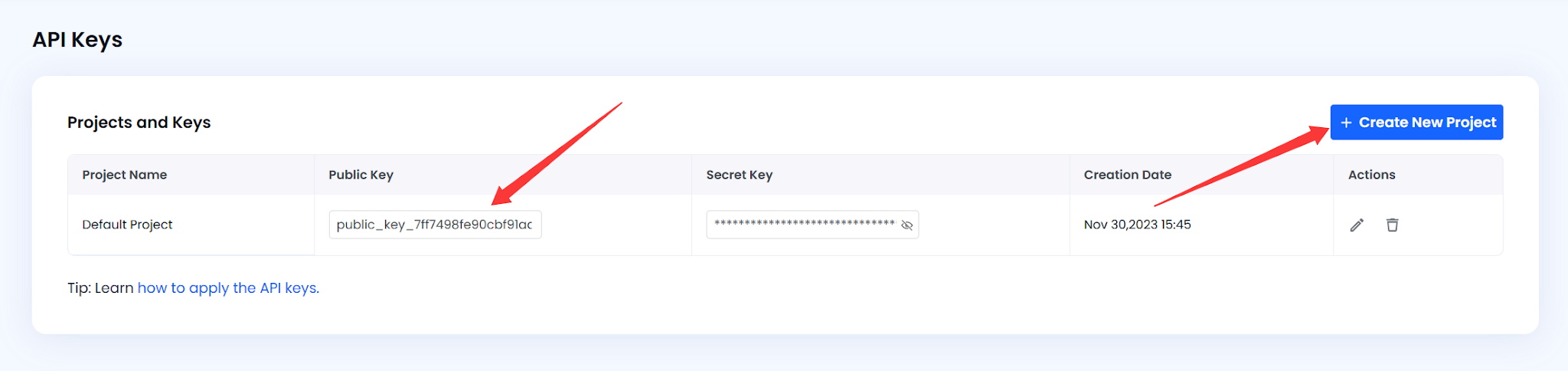
Get the API Key: Log in to the ComPDF Console. On the API Key page, create or copy your publicKey.
Local Mode (Free, no registration required)
# 1. Install
pip install docslight

# 2. Parse a document
docslight parse invoice.pdf --mode local --output invoice.md

# 3. Get structured results
ls invoice.zip
Web UI (Browser)
git clone https://github.com/ComPDF/docslight.git

cd docslight

docker compose -f docker/docker-compose.yml up
# Open http://localhost:3022 and drag & drop files
With this setup, developers can quickly test parsing quality, validate extraction logic, and connect document understanding to RAG pipelines, AI Agents, IDP workflows, or internal business systems.
Why Choose DocSlight
- Source Code Access: Developers can pull the project, test local behavior, and evaluate whether the parsing workflow fits their stack.
- Self-hosted Deployment: Local mode gives teams a path to offline validation, internal evaluation, and more control over document handling.
- Customize & Integrate: DocSlight supports SDK, CLI, and Web UI usage, making it easier to adapt into existing AI applications, automation flows, and business systems.
- Control & Flexibility: Teams can start with local parsing and expand to higher-accuracy modes when production needs grow, instead of locking into one usage path too early.
- Practical Product Advantage: It gives developers a realistic way to build with document parsing first, while more advanced capabilities can be added later based on accuracy, scale, and deployment needs.
Start Building with ComPDF Open Source
The development of AI applications relies on stable, high-quality document infrastructure. ComPDF hopes that through open source, more developers can more easily build PDF processing, document parsing, and intelligent document applications, allowing them to focus more energy on business innovation. Visit the GitHub projects to get the source code, deployment instructions, and latest documentation:
- ComPDF Self-Hosted: https://github.com/ComPDF/compdf-self-hosted
- DocSlight: https://github.com/ComPDF/docslight
If you wish to obtain higher-accuracy parsing/extraction capabilities, more complete enterprise-grade management features, or self-hosted deployment support, welcome to contact the ComPDF team to learn about advanced version solutions.