

This article aims to provide an in-depth technical comparison of ComPDF and Aspose Software Development Kits (SDKs) in the document conversion domain. We will analyze their differences across key aspects, including a feature matrix, development ecosystem analysis, and real-world conversion performance tests. This comparison is designed to help you thoroughly understand both products and choose the SDK that best suits your specific needs.
ComPDF vs Aspose: Features, Programming Languages, and Integrations
While both ComPDF and Aspose offer robust libraries for document conversion, their feature sets, primary strengths, and integration methods. See the details below:
Based on the table above, we can see that Aspose supports a slightly wider range of document formats. In addition to PDF conversion, it also handles e-books, compressed files, and other document types.
However, ComPDF focuses on PDF and image format conversion. It uses patent-level AI table recognition and layout analysis to achieve high-fidelity, pixel-level layout reconstruction, delivering high-quality document conversion. ComPDF also offers flexible deployment options and supports common programming languages and frameworks, allowing enterprises to choose what best fits their needs.
Aspose vs ComPDF: Conversion Performance Comparison
Converting a PDF to a Word document with consistent and accurate layout preservation is arguably the most challenging task in file format conversion. Here, we compare the performance and conversion quality of the ComPDF and Aspose SDKs, focusing on seven categories of challenging documents.
Mixed Text-and-Image Layouts & Multi-Column Documents
This section focuses on newspapers, magazines, research reports, and other PDFs featuring multi-column layouts and mixed text-and-image content, evaluating how accurately they can be converted to Word.
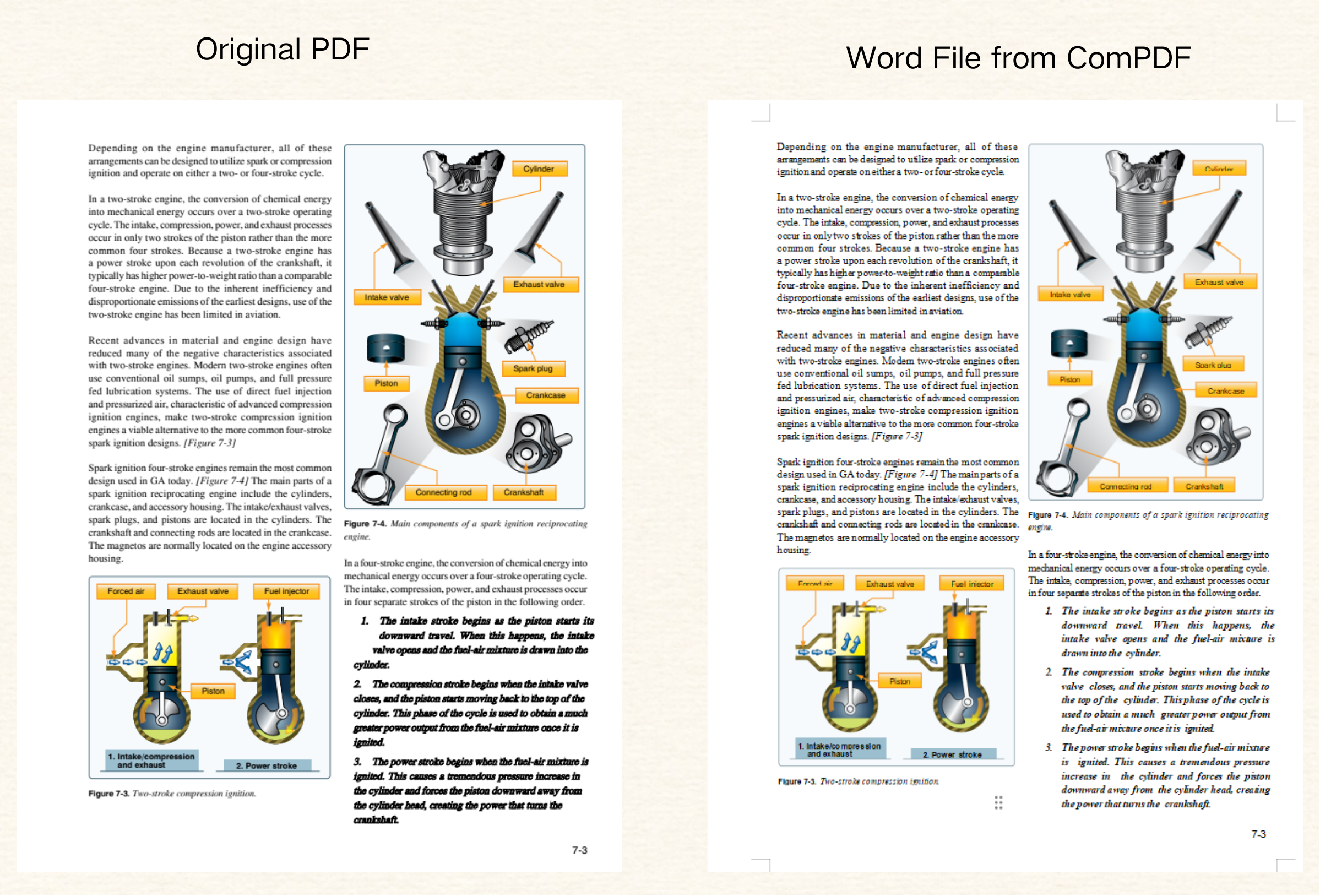
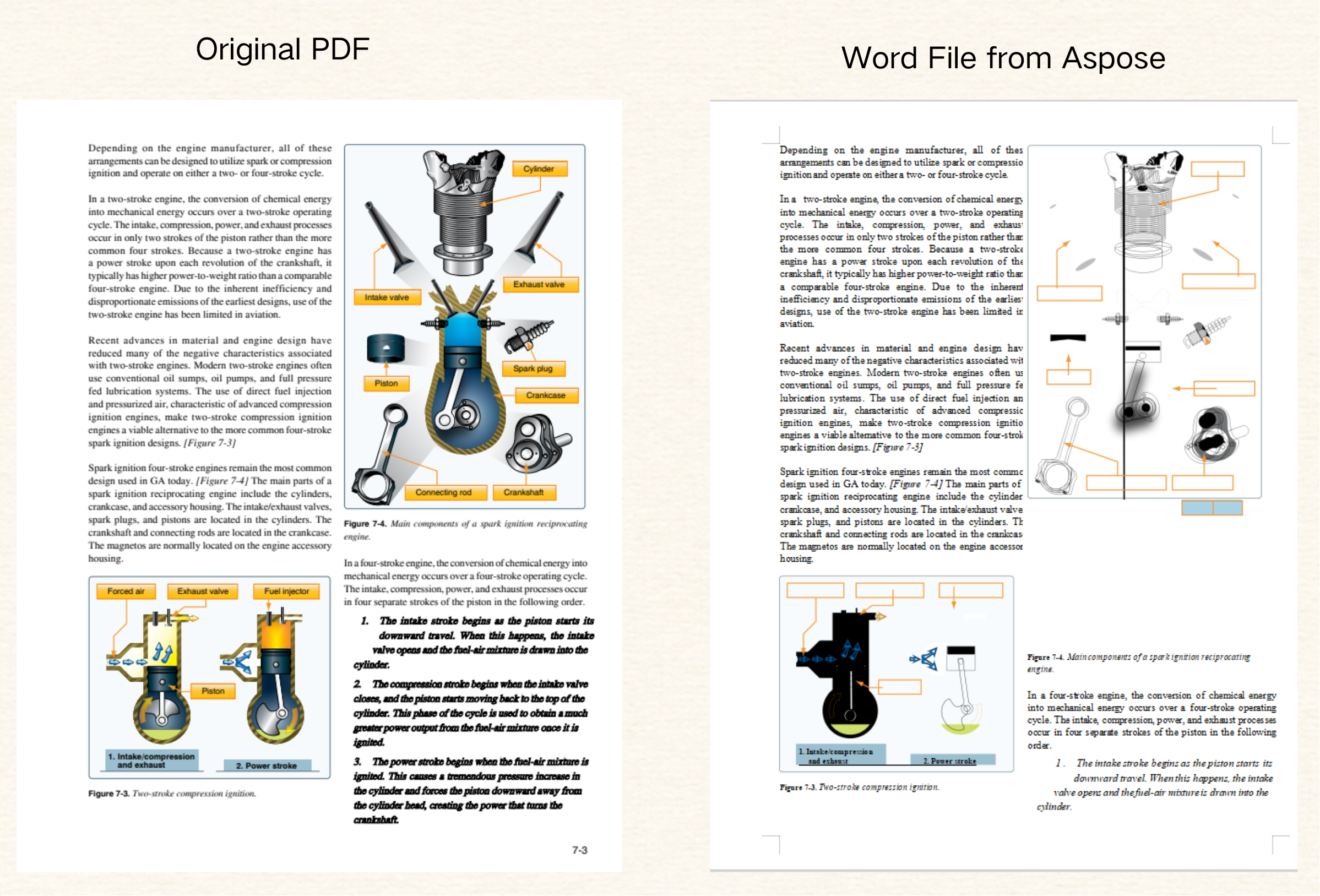
In these complex layouts, Aspose often fails to reproduce the original structure, resulting in excessive blank lines, missing vector graphic backgrounds, and unrecognized text in text boxes, which significantly impacts readability. In contrast, ComPDF accurately restores multi-column structures, text styles, and image placement, maintaining the correct reading order. Fine typographical elements—such as localized bold text—are accurately retained.
-
ComPDF: Accurate PDF-to-Word Conversion for Complex Layouts
-
Aspose: PDF-to-Word Conversion for Mixed Content Layouts
Scanned Documents & Form Recognition
For scanned documents and highly structured data-centric PDFs - such as financial statements, corporate reports, and technical specification sheets - this section evaluates each SDK’s accuracy in handling tables and scanned files.
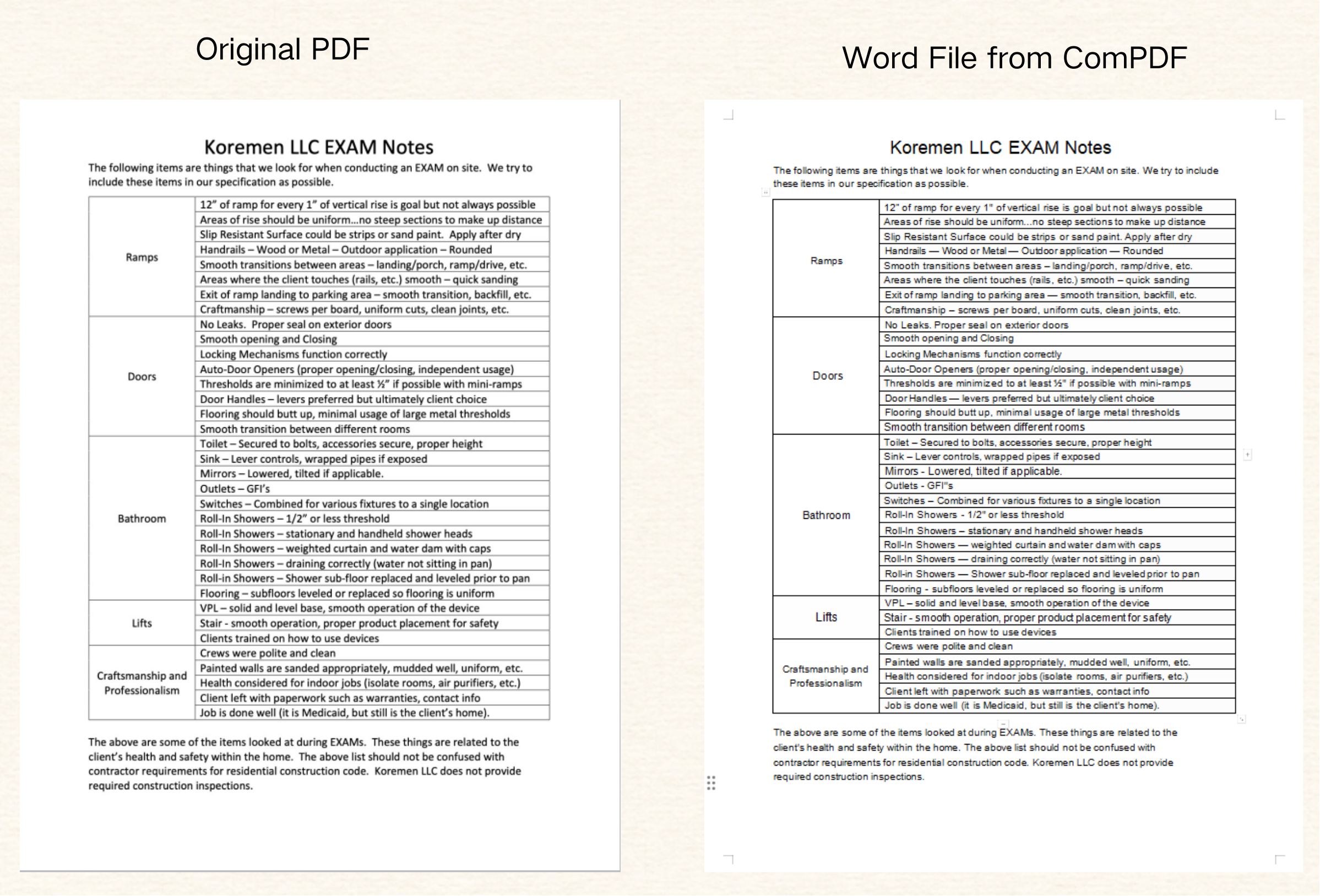
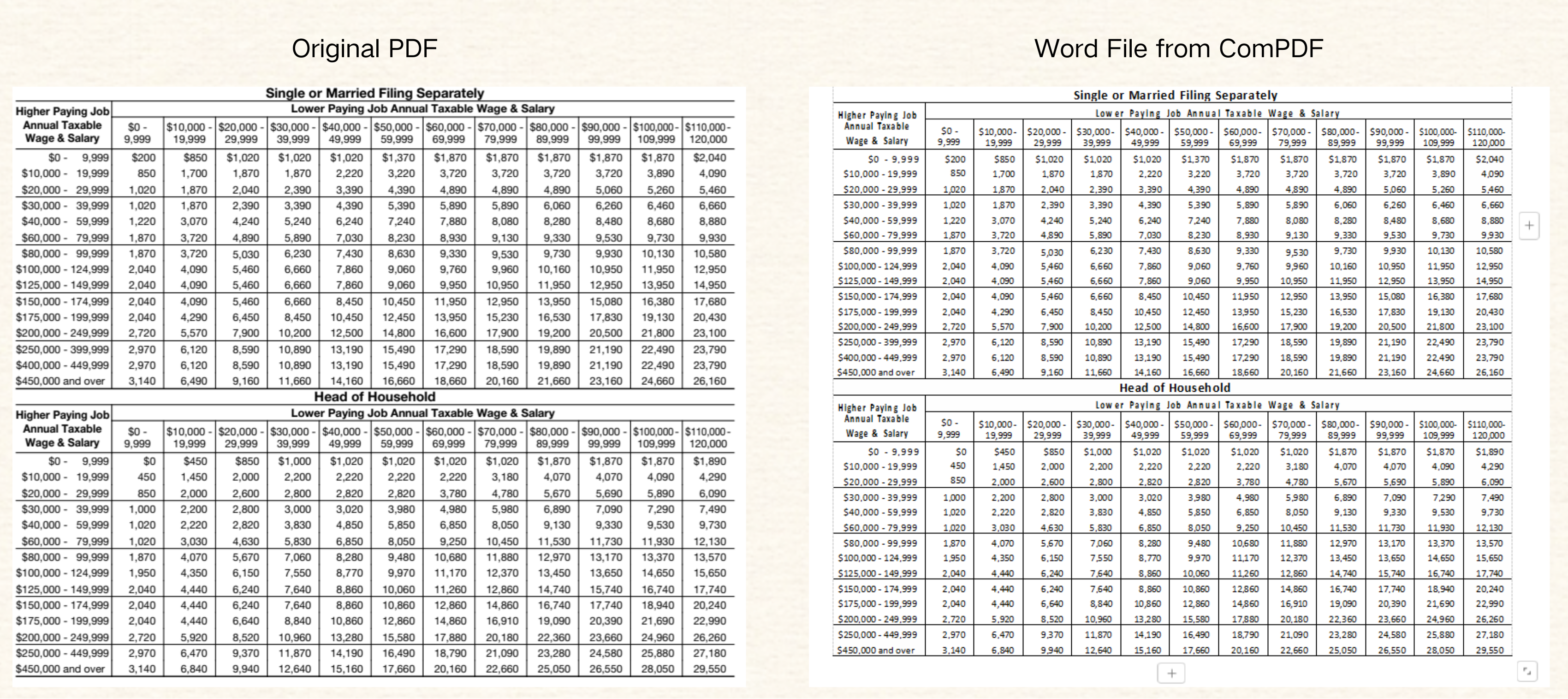
ComPDF can correctly recognize table structures in scanned documents, fully restoring borders, merged cells, and text alignment, making it suitable for digital archiving and data extraction.
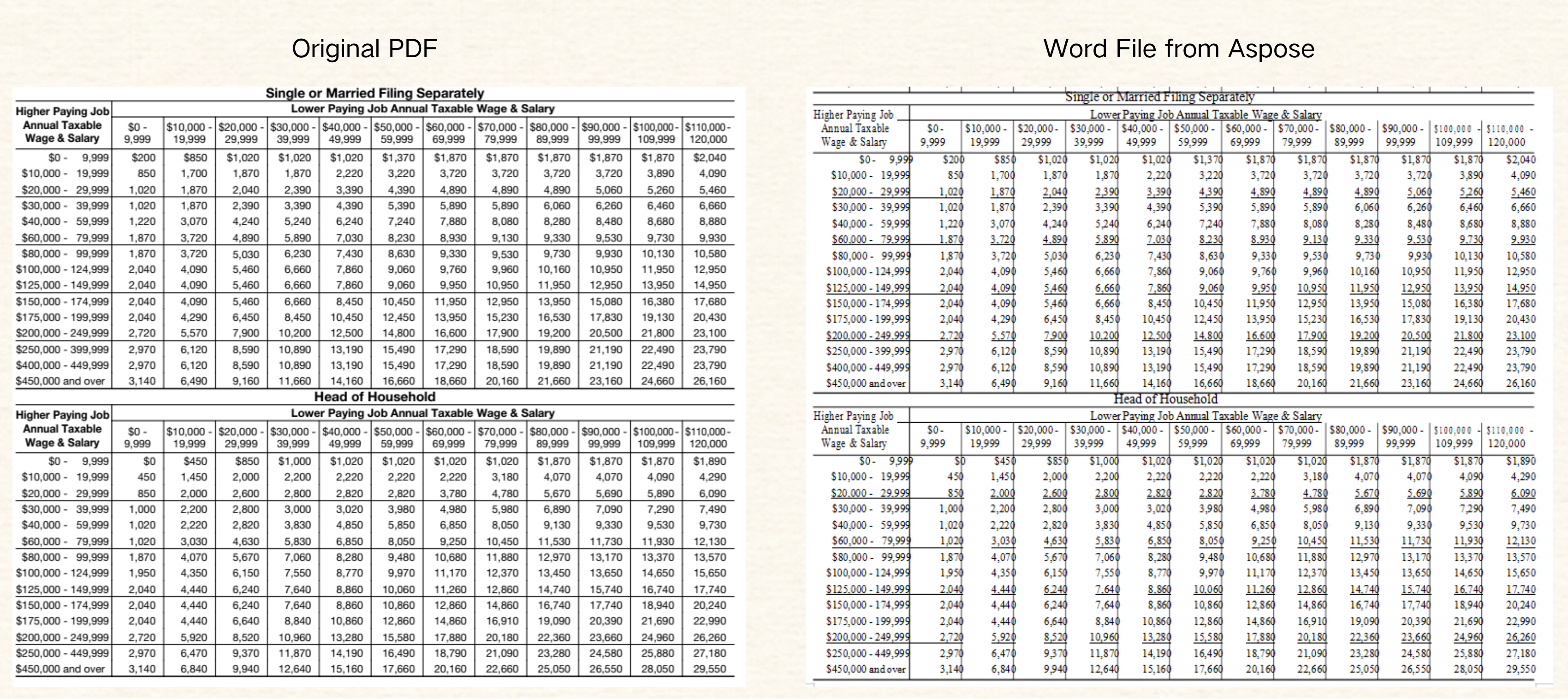
However, Aspose does not offer OCR support in its publicly available tools, so its performance on scanned or form-based PDF files has not been verified. For PDF files containing tables, it cannot extract and reconstruct the tables when converting them to Word files. While the overall content and cells appear visually well-reproduced (with some discrepancies in text and table border positions), it does not represent a true table structure.
-
ComPDF: Convert scanned PDFs with tables to Word
-
ComPDF: Convert PDFs with tables to Word
-
Aspose: Convert PDFs with tables to Word
Multi-Language Document Conversion (Localization & Mixed-Language PDFs)
In globalized workflows, documents often contain multiple languages or different writing systems. This section explores the SDK's compatibility and output reliability for multilingual documents, such as Japanese technical documents or documents with mixed-language layouts. ComPDF supports multiple languages and demonstrates excellent stability in converting localized language files.
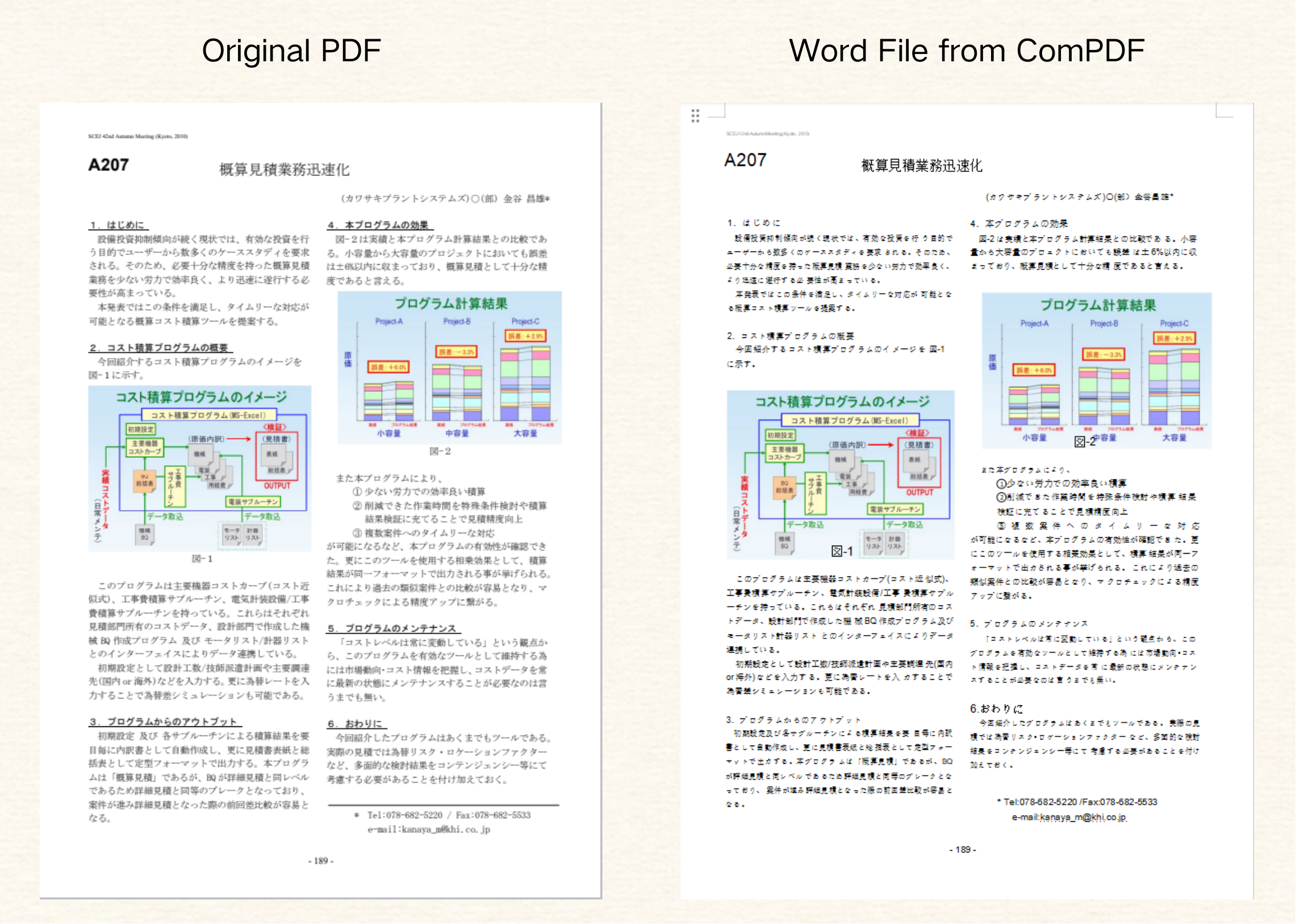
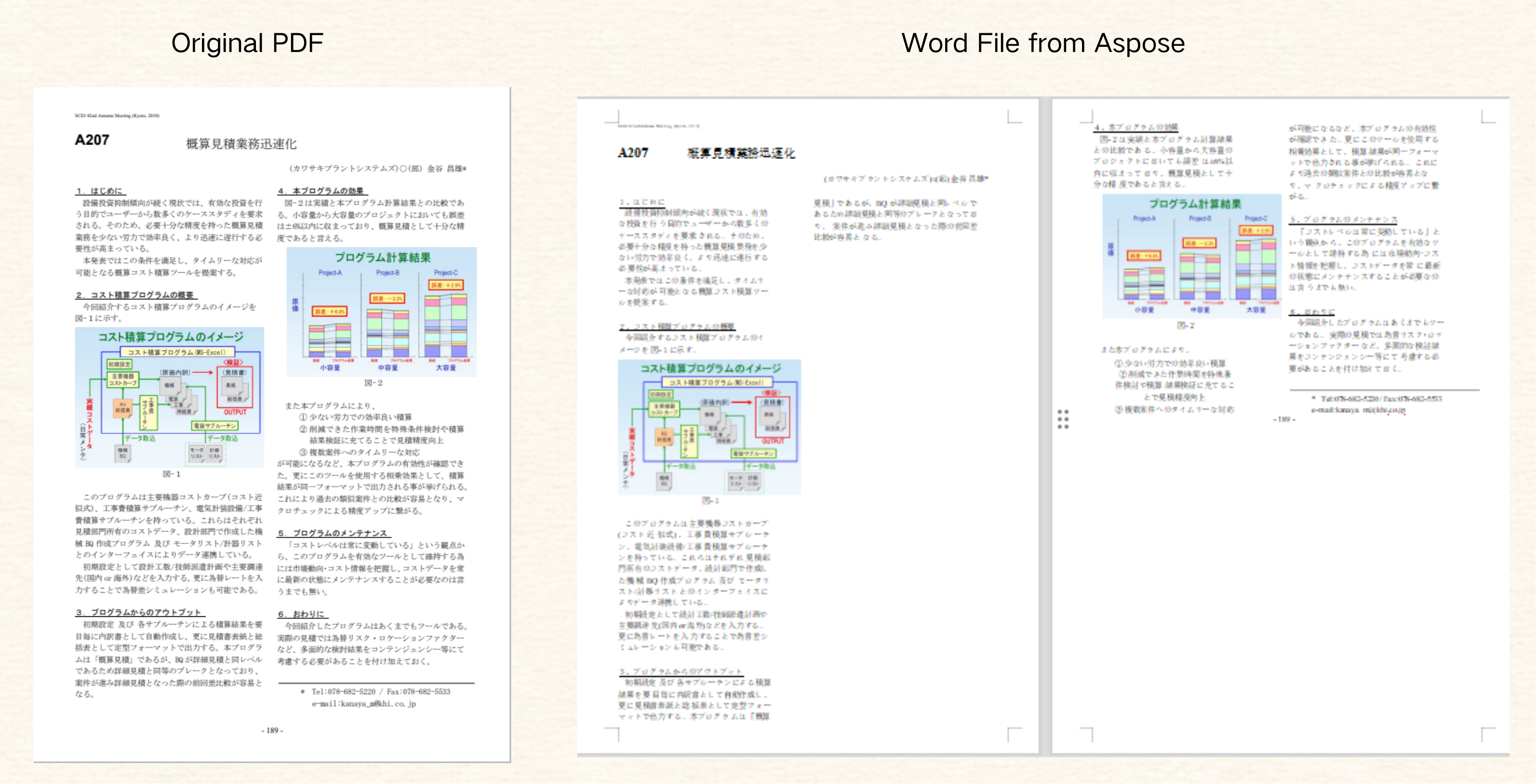
Tests show that ComPDF performs well overall when converting localized language files, with only minor discrepancies in underlining and image positioning. In contrast, Aspose performs poorly when processing Japanese files, exhibiting issues such as text and image misalignment, incorrect reading order, and loss of bold formatting. Although underlining is retained, the overall fidelity is significantly lower.
-
ComPDF: Convert PDFs containing Japanese/multiple columns to Word
-
Aspose: Convert PDFs containing Japanese/multiple columns to Word
Conclusion and Recommendations
ComPDF and Aspose both deliver strong document conversion capabilities, but they serve different priorities.
Aspose’s core advantage lies in its broad file format coverage, making it ideal for workflows that must handle many document types or teams operating heavily in the Microsoft ecosystem.
By contrast, ComPDF uses AI-powered layout analysis to achieve higher conversion accuracy, especially for complex document scenarios such as multi-column layouts, scanned PDFs, and multilingual content. Its flexible deployment models and wide framework support also make integration significantly easier for modern development teams.