
Guides
Context Menu
When creating a CPDFReaderWidget, you can customize the context menus that appear when annotations, text, images, or form fields are selected. This is done via the CPDFConfiguration object using the contextMenuConfig field.
Default Context Menu
By default, when a user selects a highlight annotation, ComPDF displays a context menu with common options such as “Note”, “Delete”, and “Properties”:
| Android | iOS |
|---|---|
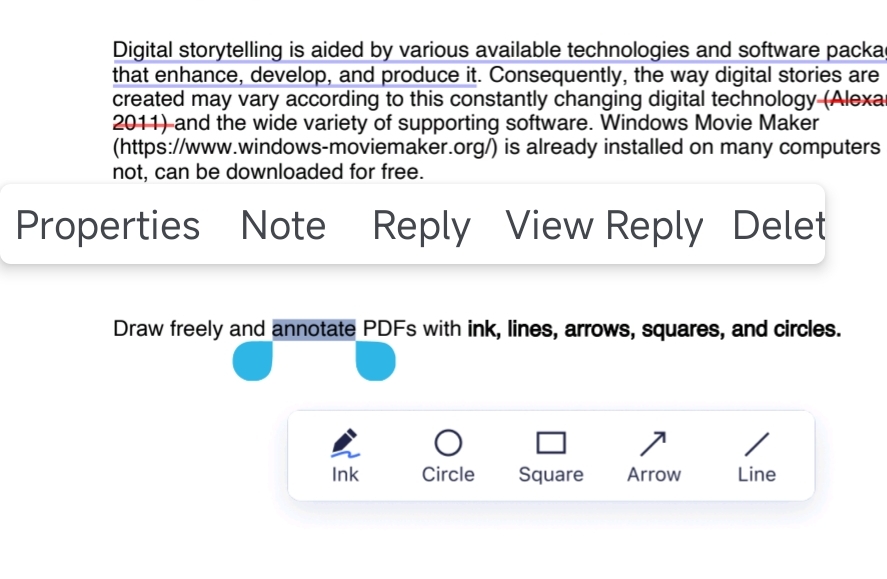 | 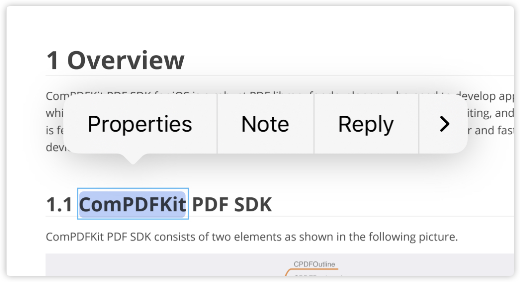 |
Customizing Menu Items
You can customize the context menu by specifying which menu items to include. The following example only keeps the Properties and Delete options for highlight annotations:
dart
CPDFReaderWidget(
  document: widget.documentPath,
  password: widget.password,
  configuration: CPDFConfiguration(
    contextMenuConfig: const CPDFContextMenuConfig(
      annotationMode: CPDFAnnotationModeContextMenu(
        markup: [
          CPDFContextMenuItem(CPDFAnnotationMarkupMenuKey.properties),
          CPDFContextMenuItem(CPDFAnnotationMarkupMenuKey.delete),
        ]
      )
    )
  ),
  onCreated: (controller) {
  },
);| Android | iOS |
|---|---|
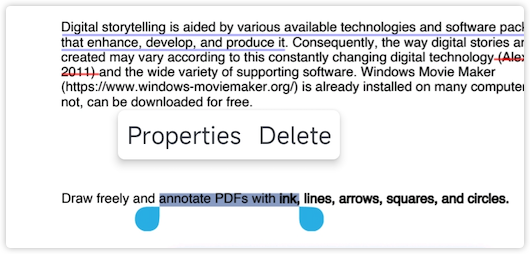 | 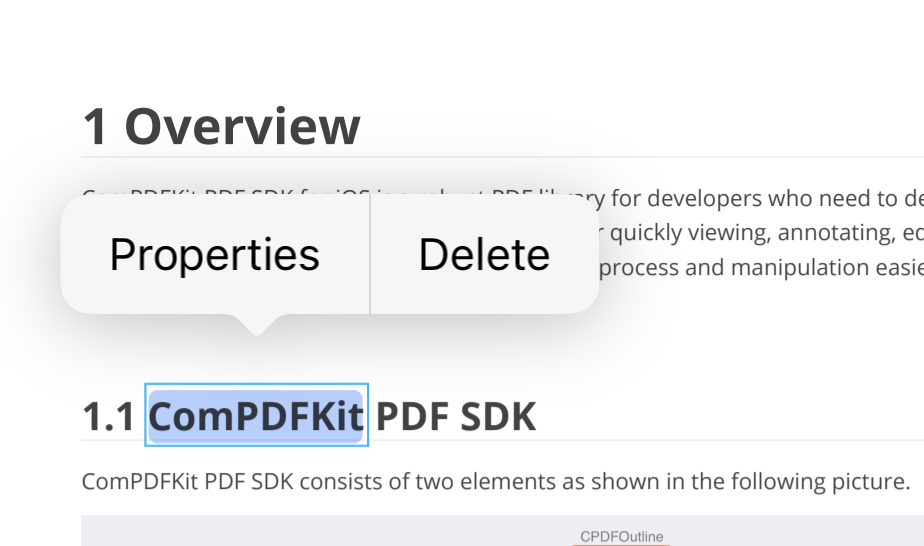 |
Custom Menu Items
ComPDF Flutter SDK introduced the ability to add custom menu items in version 2.6.0. The following example demonstrates how to add a custom menu item to the context menu for highlight annotations:
- Create a
CPDFContextMenuIteminstance and configure the custom menu item:
dart
CPDFConfiguration(
  contextMenuConfig: const CPDFContextMenuConfig(
    fontSize: 14,             // Custom menu font size
    iconSize: 36,             // Custom menu icon size (Android only)
    padding: [0, 4, 0, 4],    // Menu padding
    annotationMode: CPDFAnnotationModeContextMenu(
      markup: [
        CPDFContextMenuItem(
          CPDFAnnotationMarkupMenuKey.custom,
          identifier: 'custom_show_annotation_properties_action',  // Required: Unique identifier
          title: 'Custom Action',                                   // Required: Menu title (when showType is text)
          icon: 'ic_test_properties',                              // Optional: Icon name (Android only, required when showType is icon)
          showType: CPDFContextMenuShowType.text,                  // Display type: icon or text
        )
      ]
    ),
  )
);- Handle custom menu item tap events via the
onCustomContextMenuItemTappedCallbackcallback:
dart
CPDFReaderWidget(
  document: documentPath,
  configuration: configuration,
  onCreated: (controller) {
    setState(() {
      _controller = controller;
    });
  },
  onCustomContextMenuItemTappedCallback: (String identifier, dynamic event) {
    if (identifier == 'custom_show_annotation_properties_action') {
      // Handle custom menu item tap event
      // For example: show custom dialog, perform specific action, etc.
    }
  },
);