
PDF 生成模板编辑器
开源可视化 PDF 生成引擎,支持自定义模板,并提供面向开发者的 API,灵活构建文档生成流程。
弧长测量工具可用于绘制曲线和圆弧,以测量用户选择的图形的弧长。
弧长测量工具有两类:曲线测量工具与圆弧测量工具。
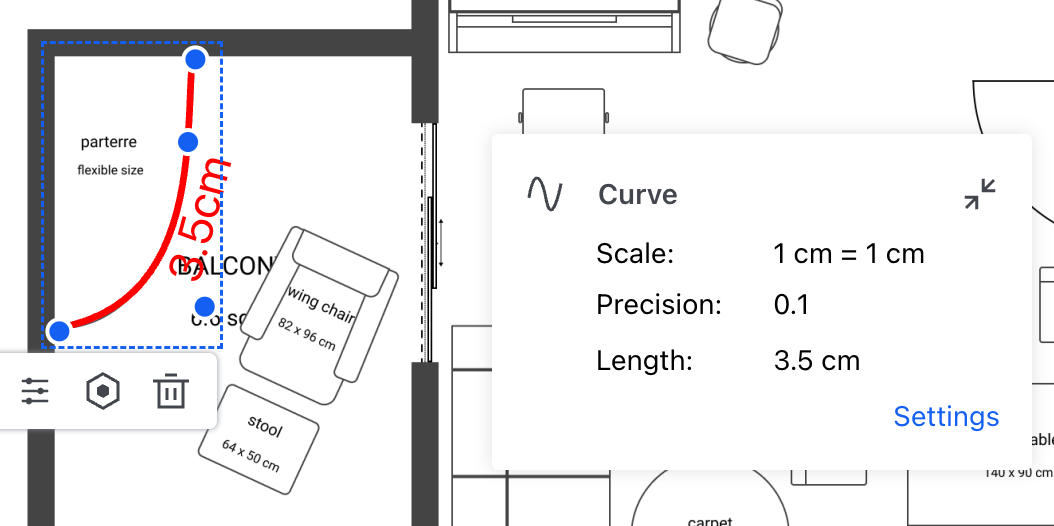
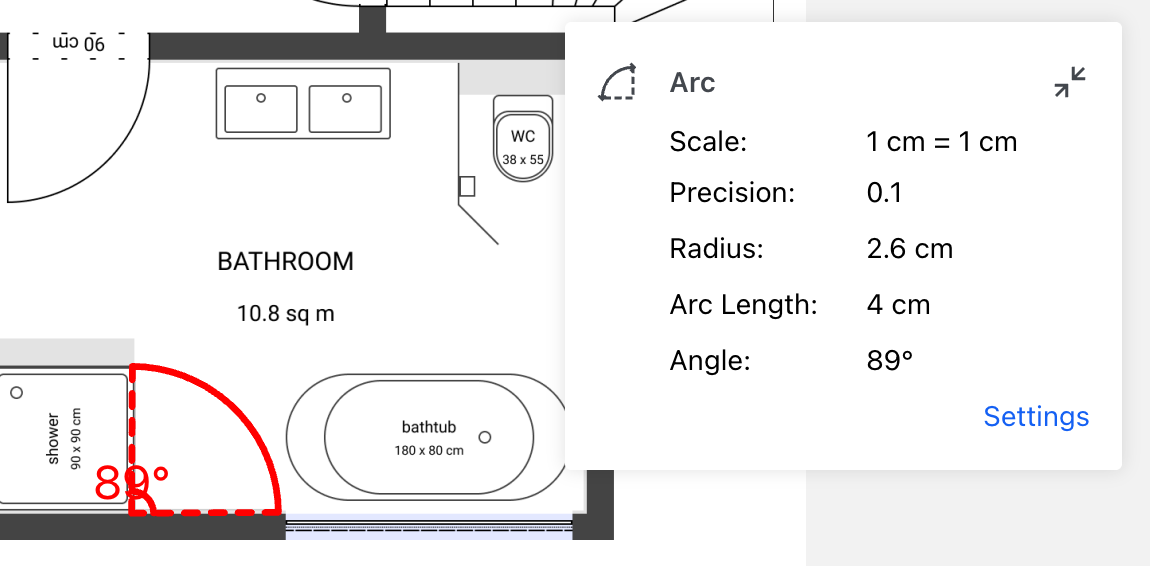
配置测量属性后,可通过以下步骤创建弧长测量注释:
curveCreateTool;如果创建的是圆弧测量,则使用 arcCreateTool),在创建时将默认属性附加到测量注释上。再使用 annotationManager 类的 createMeasurementAnnotation 方法创建一个测量注释。以下是创建曲线测量注释的示例代码:
ComPDFKitViewer(...)
  .then(instance => {
    const { docViewer, UI } = instance;

    docViewer.addEvent('documentloaded', async () => {
        // 进入曲线测量注释创建模式。
        UI.setToolbarGroup('toolbarGroup-Measurement');
        UI.setActiveTool('measureCurve');

        // 为注释设置默认测量属性。
        const defaults = docViewer.pdfViewer.measurementTool.curveCreateTool.defaults;
        const defaultStyles = docViewer.pdfViewer.measurementTool.curveCreateTool.defaultStyles;

        const annotationData = {
            measure: 1,
            type: 'ink',
            measureType: 'arc',
            captionType: 'generic',
            pageIndex: 0,
            rect: {
                left: 106,
                top: 323,
                right: 390,
                bottom: 440
            },
            inkPointes: [
                [
                    { PointX: 106, PointY: 366 },
                    { PointX: 200, PointY: 440 },
                    { PointX: 288, PointY: 323 },
                    { PointX: 390, PointY: 367 }
                ]
            ],
            ...defaults,
            ...defaultStyles
        };

        // 创建测量注释。
        const annotation = await docViewer.annotationManager.createMeasurementAnnotation(annotationData);
        // 渲染注释。
        docViewer.annotationManager.drawAnnotationsFromList(annotation);
});以下是创建圆弧测量注释的示例代码:
ComPDFKitViewer(...)
  .then(instance => {
    const { docViewer, UI } = instance;

    docViewer.addEvent('documentloaded', async () => {
        // 进入圆弧测量注释创建模式。
        UI.setToolbarGroup('toolbarGroup-Measurement');
        UI.setActiveTool('measureArc');

        // 为注释设置默认测量属性。
        const defaults = docViewer.pdfViewer.measurementTool.arcCreateTool.defaults;
        const defaultStyles = docViewer.pdfViewer.measurementTool.arcCreateTool.defaultStyles;

        const annotationData = {
            measure: 1,
            type: 'ink',
            measureType: 'arc',
            pageIndex: 0,
            arcPoints: [
                { x: 92, y: 225 },
                { x: 233, y: 169 },
                { x: 143, y: 98 }
            ],
            inkPointes: [
                [
                    { PointX: 92, PointY: 225 },
                    { PointX: 233, PointY: 169 },
                    { PointX: 143, PointY: 98 }
                ]
            ],
            ...defaults,
            ...defaultStyles
        };

        // 创建测量注释。
        const annotation = await docViewer.annotationManager.createMeasurementAnnotation(annotationData);
        // 渲染注释。
        docViewer.annotationManager.drawAnnotationsFromList(annotation);
    });