
PDF 生成模板编辑器
开源可视化 PDF 生成引擎,支持自定义模板,并提供面向开发者的 API,灵活构建文档生成流程。
距离测量工具允许您的用户测量代表平面图中的对象(例如房屋、街道或墙壁)的两点之间的距离。选择此工具后,用户只需用指针点击起点与终点,即可取得两点间的距离。
距离测量工具有两类:线段测量工具与折线测量工具。线段测量工具可以测量起始和结束两点间的距离,折线测量工具会测量折线绘制过程中所有相邻两点间的距离,并计算总长度。
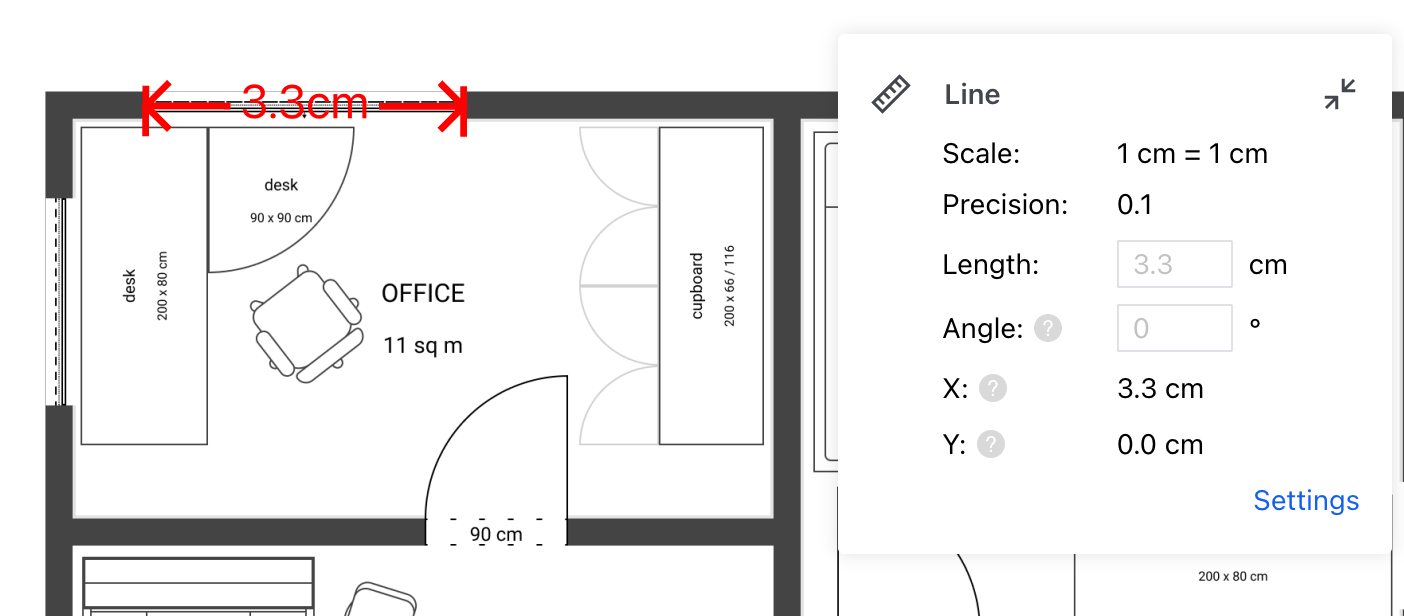
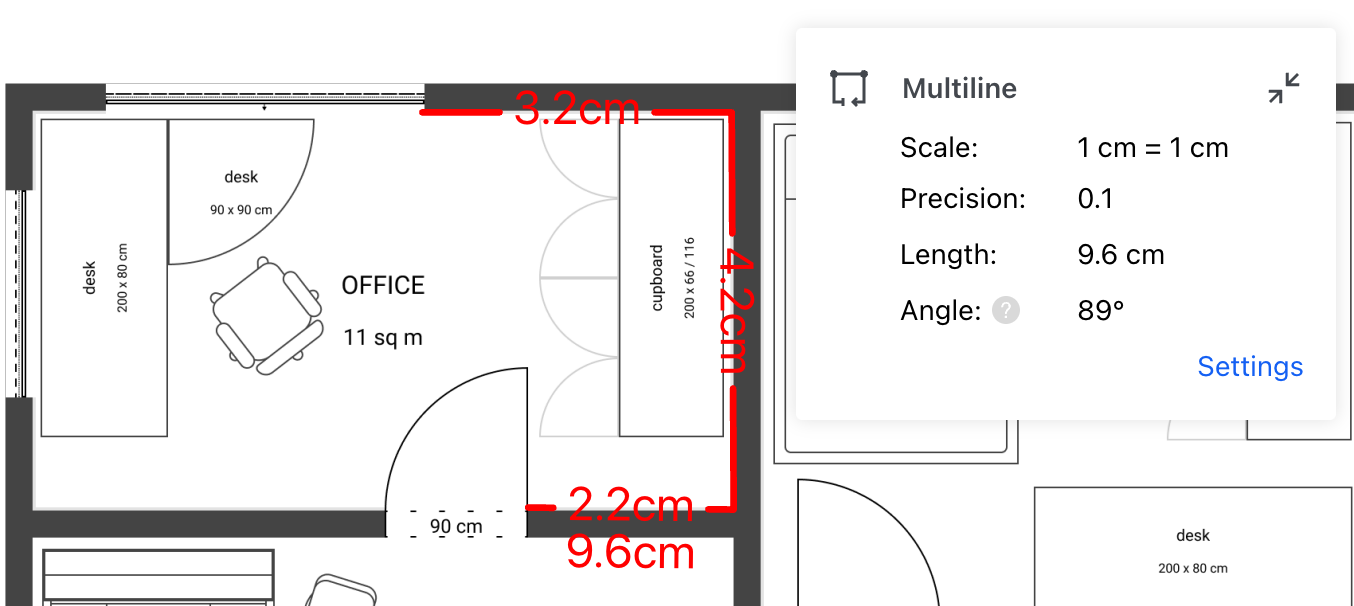
配置测量属性后,可通过以下步骤创建距离测量注释:
Tools.ToolNames.DISTANCE_MEASUREMENT;如果创建的是折线测量,则使用 Tools.ToolNames.PERIMETER_MEASUREMENT),在创建时将默认属性和工具的 Measure 附加到测量注释上。再用 Annotations 中对应的类创建测量注释,并使用 annotationManager 的 addAnnotation 方法添加。以下是创建线段测量注释的示例代码:
ComPDFKitViewer(...)
  .then(instance => {
    const { documentViewer, annotationManager, Annotations, Tools } = instance.Core;

    documentViewer.addEventListener('documentLoaded', async () => {
        // 进入线段测量注释创建模式。
        instance.UI.setToolbarGroup('toolbarGroup-Measure');
        instance.UI.setToolMode(Tools.ToolNames.DISTANCE_MEASUREMENT);

        // 为注释设置默认测量属性。
        const lineTool = documentViewer.getTool(Tools.ToolNames.DISTANCE_MEASUREMENT);
        const { StrokeColor, StrokeThickness, Opacity, Font, FontSize, StartLineStyle, EndLineStyle } = lineTool.defaults;
        const { leaderLineLength, leaderLineOffset, leaderLineExtension } = lineTool.getLeaderLineDefaultOptions();

        const annotation = new Annotations.LineAnnotation({
            PageNumber: 1,
            StrokeColor,
            StrokeThickness,
            Opacity,
            Font,
            FontSize
        });
        annotation.Measure = { ...lineTool.Measure };
        annotation.setStartPoint(300, 45);
        annotation.setEndPoint(130, 75);
        annotation.setStartStyle(StartLineStyle);
        annotation.setEndStyle(EndLineStyle);
        annotation.leaderLength = leaderLineLength;
        annotation.leaderOffset = leaderLineOffset;
        annotation.leaderExtension = leaderLineExtension;

        // 创建测量注释。
        await annotationManager.addAnnotation(annotation);
        // 渲染注释。
        annotationManager.drawAnnotationsFromList([annotation]);
    });
});以下是创建折线测量注释的示例代码:
ComPDFKitViewer(...)
  .then(instance => {
    const { documentViewer, annotationManager, Annotations, Tools } = instance.Core;

    documentViewer.addEventListener('documentLoaded', async () => {
        // 进入折线测量注释创建模式。
        instance.UI.setToolbarGroup('toolbarGroup-Measure');
        instance.UI.setToolMode(Tools.ToolNames.PERIMETER_MEASUREMENT);

        // 为注释设置默认测量属性。
        const polylineTool = documentViewer.getTool(Tools.ToolNames.PERIMETER_MEASUREMENT);
        const { StrokeColor, StrokeThickness, Opacity, Font, FontSize } = polylineTool.defaults;

        const annotation = new Annotations.PolylineAnnotation({
            PageNumber: 1,
            StrokeColor,
            StrokeThickness,
            Opacity,
            Font,
            FontSize
        });
        annotation.Measure = { ...polylineTool.Measure };
        annotation.setPath([
            new Annotations.Point(130, 156),
            new Annotations.Point(202, 120),
            new Annotations.Point(263, 223),
            new Annotations.Point(157, 232)
        ]);

        // 创建测量注释。
        await annotationManager.addAnnotation(annotation);
        // 渲染注释。
        annotationManager.drawAnnotationsFromList([annotation]);
    });
  });