
PDF 生成模板编辑器
开源可视化 PDF 生成引擎,支持自定义模板,并提供面向开发者的 API,灵活构建文档生成流程。
周长与面积测量工具可用于测量用户选择的图形区域的周长与面积。
周长与面积测量工具有三类:矩形测量工具、多边形测量工具与圆形/椭圆测量工具。
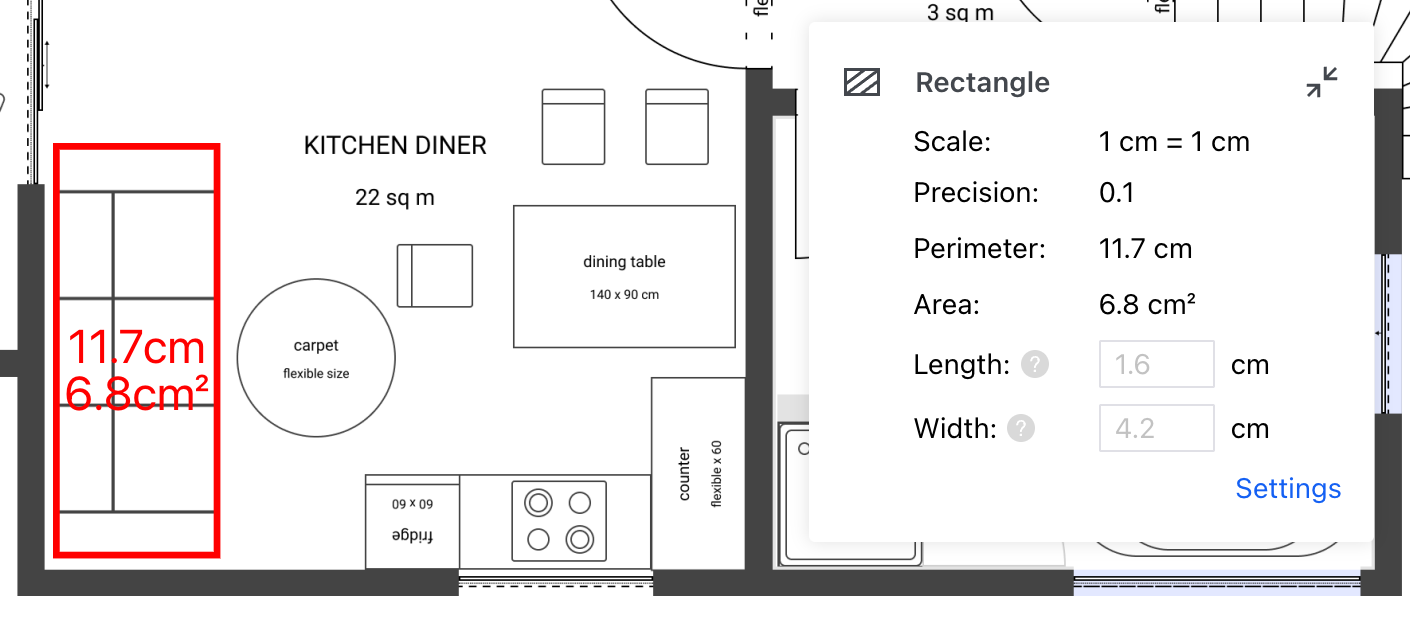
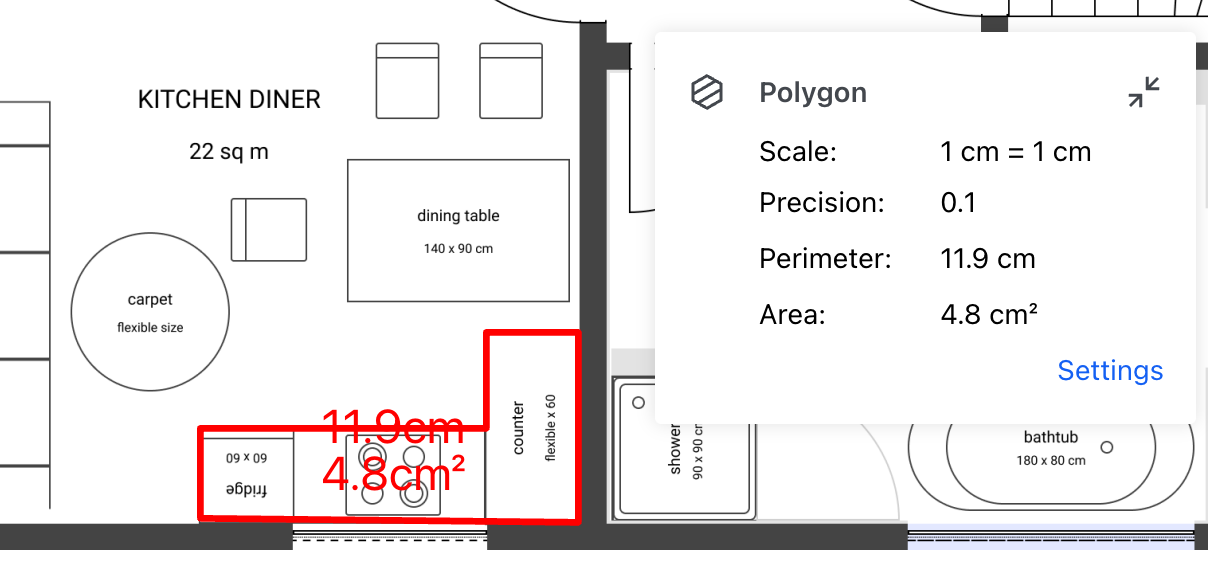
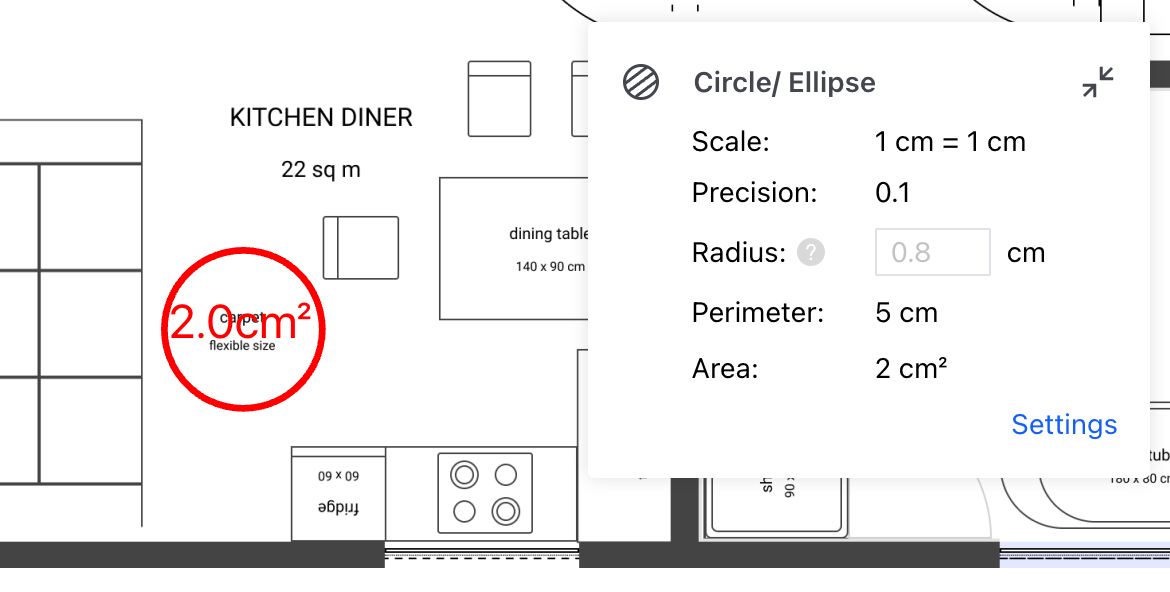
配置测量属性后,可通过以下步骤创建周长和面积测量注释:
Tools.ToolNames.RECTANGULAR_AREA_MEASUREMENT;如果创建的是多边形测量,则使用 Tools.ToolNames.AREA_MEASUREMENT;如果创建的是圆形/椭圆测量,则使用 Tools.ToolNames.ELLIPSE_MEASUREMENT),在创建时将默认属性和工具的 Measure 附加到测量注释上。再用 Annotations 中对应的类创建测量注释,并使用 annotationManager 的 addAnnotation 方法添加。以下是创建矩形测量注释的示例代码:
ComPDFKitViewer(...)
  .then(instance => {
    const { documentViewer, annotationManager, Annotations, Tools } = instance.Core;

    documentViewer.addEventListener('documentLoaded', async () => {
        // 进入矩形测量注释创建模式。
        instance.UI.setToolbarGroup('toolbarGroup-Measure');
        instance.UI.setToolMode(Tools.ToolNames.RECTANGULAR_AREA_MEASUREMENT);

        // 为注释设置默认测量属性。
        const rectangleTool = documentViewer.getTool(Tools.ToolNames.RECTANGULAR_AREA_MEASUREMENT);
        const { StrokeColor, FillColor, StrokeThickness, Opacity, Font, FontSize } = rectangleTool.defaults;

        const annotation = new Annotations.PolygonAnnotation({
            PageNumber: 1,
            StrokeColor,
            FillColor,
            StrokeThickness,
            Opacity,
            Font,
            FontSize
        });
        annotation.Measure = { ...rectangleTool.Measure };
        annotation.setMeasurementDisplayOptions(rectangleTool.getDefaultMeasurementDisplayOptions());
        annotation.setPath([
            new Annotations.Point(200, 350),
            new Annotations.Point(360, 350),
            new Annotations.Point(360, 460),
            new Annotations.Point(200, 460)
        ]);

        // 创建测量注释。
        await annotationManager.addAnnotation(annotation);
        // 渲染注释。
        annotationManager.drawAnnotationsFromList([annotation]);
    });
});以下是创建多边形测量注释的示例代码:
ComPDFKitViewer(...)
  .then(instance => {
    const { documentViewer, annotationManager, Annotations, Tools } = instance.Core;

    documentViewer.addEventListener('documentLoaded', async () => {
        // 进入多边形测量注释创建模式。
        instance.UI.setToolbarGroup('toolbarGroup-Measure');
        instance.UI.setToolMode(Tools.ToolNames.AREA_MEASUREMENT);

        // 为注释设置默认测量属性。
        const polygonTool = documentViewer.getTool(Tools.ToolNames.AREA_MEASUREMENT);
        const { StrokeColor, FillColor, StrokeThickness, Opacity, Font, FontSize } = polygonTool.defaults;

        const annotation = new Annotations.PolygonAnnotation({
            PageNumber: 1,
            StrokeColor,
            FillColor,
            StrokeThickness,
            Opacity,
            Font,
            FontSize
        });
        annotation.Measure = { ...polygonTool.Measure };
        annotation.setMeasurementDisplayOptions(polygonTool.getDefaultMeasurementDisplayOptions());
        annotation.setPath([
            new Annotations.Point(156, 328),
            new Annotations.Point(230, 302),
            new Annotations.Point(300, 362),
            new Annotations.Point(310, 436),
            new Annotations.Point(180, 447),
            new Annotations.Point(114, 395)
        ]);

        // 创建测量注释。
        await annotationManager.addAnnotation(annotation);
        // 渲染注释。
        annotationManager.drawAnnotationsFromList([annotation]);
    });
});以下是创建圆形测量注释的示例代码:
ComPDFKitViewer(...)
  .then(instance => {
    const { documentViewer, annotationManager, Annotations, Tools } = instance.Core;

    documentViewer.addEventListener('documentLoaded', async () => {
        // 进入圆形测量注释创建模式。
        instance.UI.setToolbarGroup('toolbarGroup-Measure');
        instance.UI.setToolMode(Tools.ToolNames.ELLIPSE_MEASUREMENT);

        // 为注释设置默认测量属性。
        const circleTool = documentViewer.getTool(Tools.ToolNames.ELLIPSE_MEASUREMENT);
        const { StrokeColor, FillColor, StrokeThickness, Opacity, Font, FontSize } = circleTool.defaults;

        const annotation = new Annotations.EllipseAnnotation({
            PageNumber: 1,
            X: 200,
            Y: 140,
            Width: 167,
            Height: 168,
            StrokeColor,
            FillColor,
            StrokeThickness,
            Opacity,
            Font,
            FontSize
        });
        annotation.Measure = { ...circleTool.Measure };
        annotation.setMeasurementDisplayOptions(circleTool.getDefaultMeasurementDisplayOptions());

        // 创建测量注释。
        await annotationManager.addAnnotation(annotation);
        // 渲染注释。
        annotationManager.drawAnnotationsFromList([annotation]);
    });
  });