
ComPDF Portal is now live! With the ComPDF Portal, you can centrally manage SDK licenses, API assets, and AI workflows. It also lets you quickly integrate capabilities such as PDF editing, format conversion, OCR, data extraction, and intelligent document parsing into your applications or business systems - helping you build efficient and secure document workflows.
You can also manage your account information, company profile, and service settings in one place through the Settings Center, making development and collaboration much smoother.
In this article, we’ll walk you through the key modules and features of ComPDF Portal, including:
- SDK: SDK license management center, SDK installer download hub
- API: API dashboard, API assets, API keys & project, API reference, webhook configuration, and more
- Workflow: New AI DocSlight free trial access
- Support: User guides, technical support, contact details, and service channels
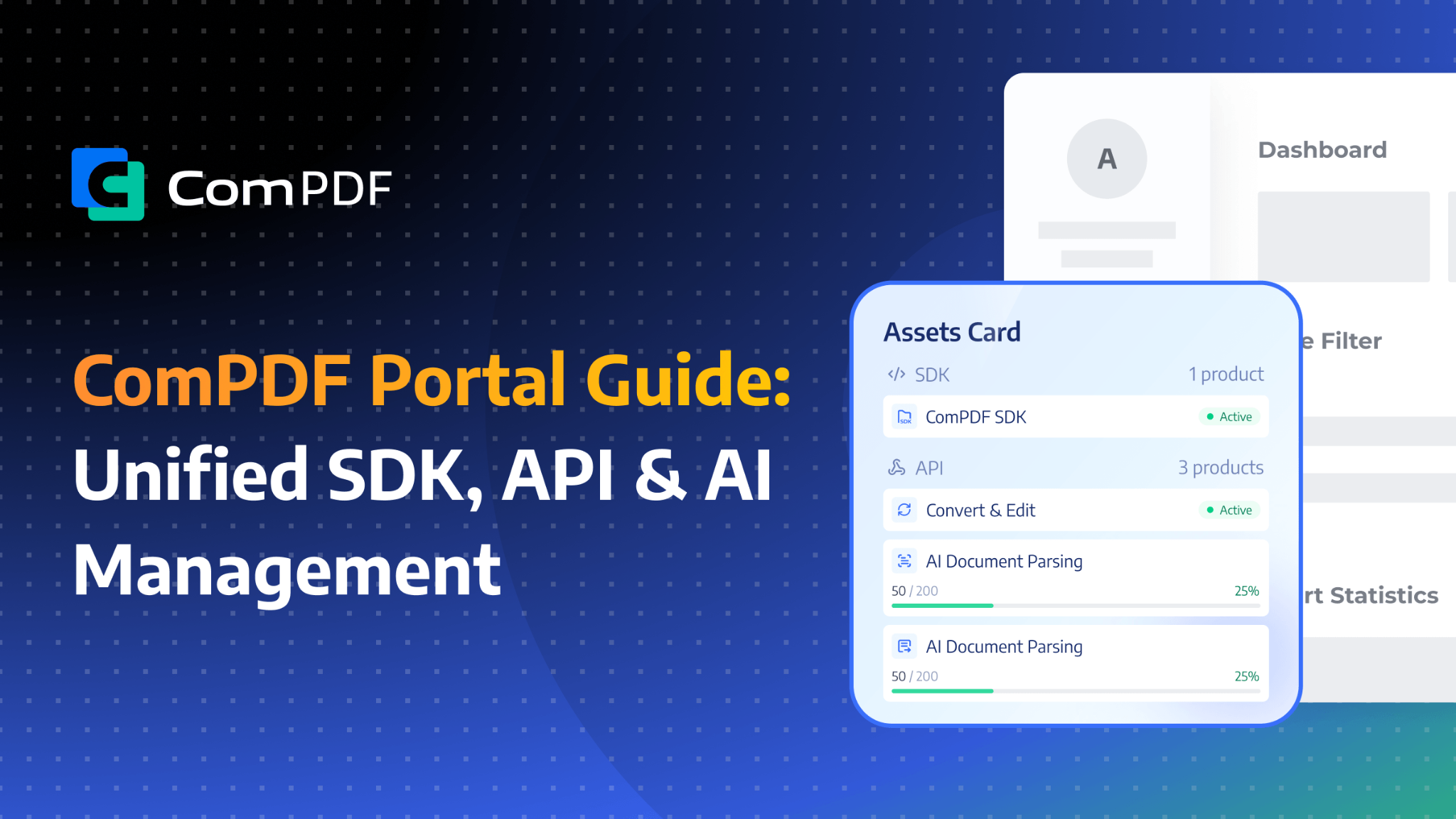
Unlock Your Free Benefits By Registering for the ComPDF Portal Account
After registering a ComPDF Portal account, you’ll get access to a range of free developer benefits and resources to help you quickly start integrating PDF and AI-powered document processing capabilities.
Once registered, you can unlock the following free benefits:
- A 30-day free SDK license, covering all platforms and major programming languages, making it easy to test and integrate into your projects
- 200 API documents processed per month, available for features like PDF conversion and PDF editing
- 40 pages of AI document parsing and extraction per month, designed for AI-powered document processing use cases
- Free access to the new AI DocSlight - a workflow automation solution for document processing, helping you embed it more easily into your business workflows
Whether you’re building PDF editing, format conversion, OCR, document parsing, or AI-driven document processing features, ComPDF Portal provides a one-stop platform for development and management.
SDK Management: License & Download Center
Here, you can centrally manage your SDK licenses and download the latest ComPDF SDK packages.
License Management
The License Management Center allows you to manage both trial and commercial licenses in one place.
ComPDF provides developers with a 30-day free trial license across all platforms. After registering for a ComPDF Portal account, you can generate a trial license anytime, giving you more flexibility to plan your testing schedule and ensuring sufficient time for integration and validation.
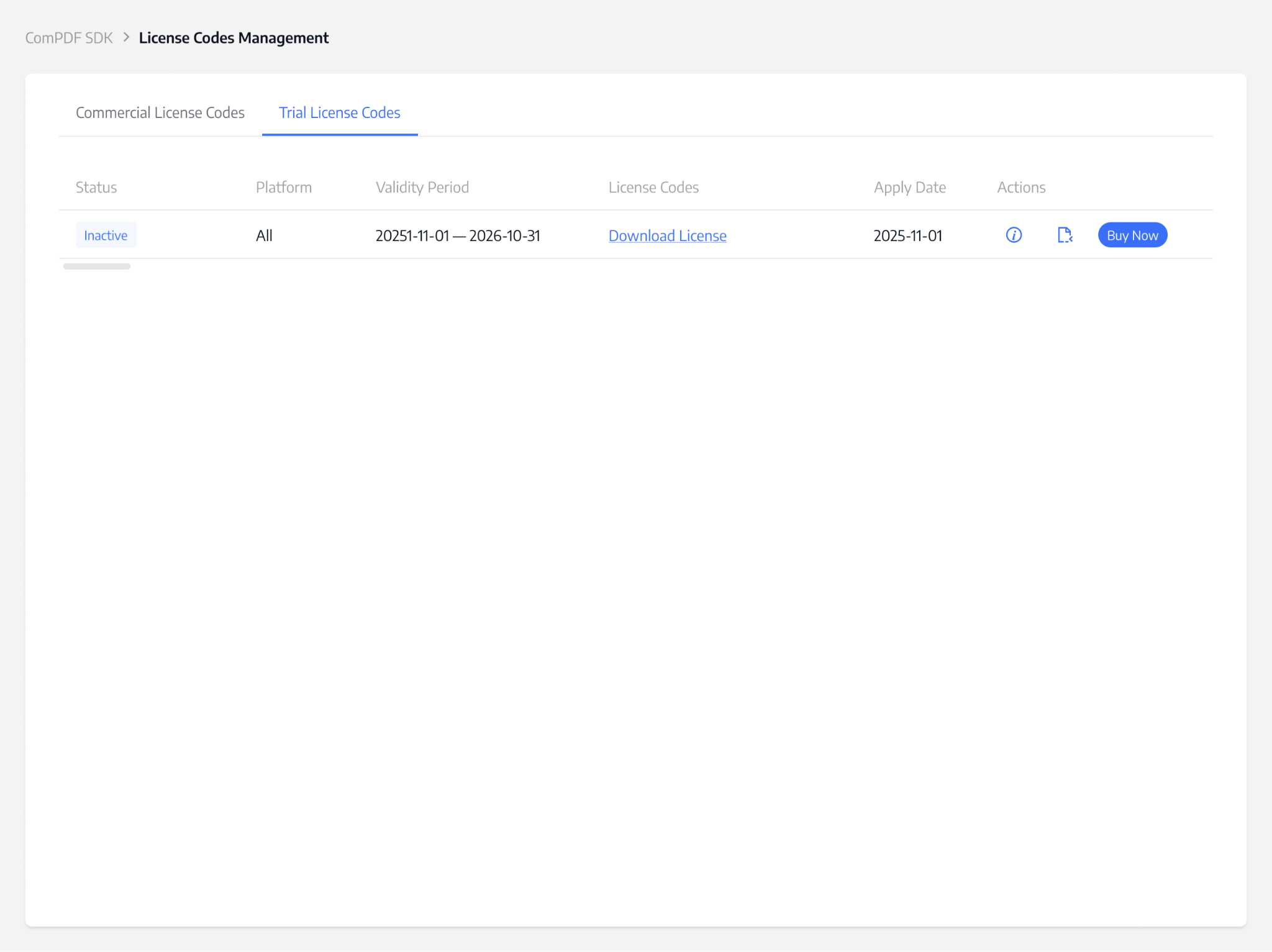
If you need a commercial license, you can contact the ComPDF sales team. Simply share your required features, target platforms, and project needs, and we will provide a tailored solution and pricing.
Once your purchase is completed, the commercial license will be automatically synced to your Portal account. You can then view and download the corresponding XML license file directly, making activation and deployment quick and seamless.
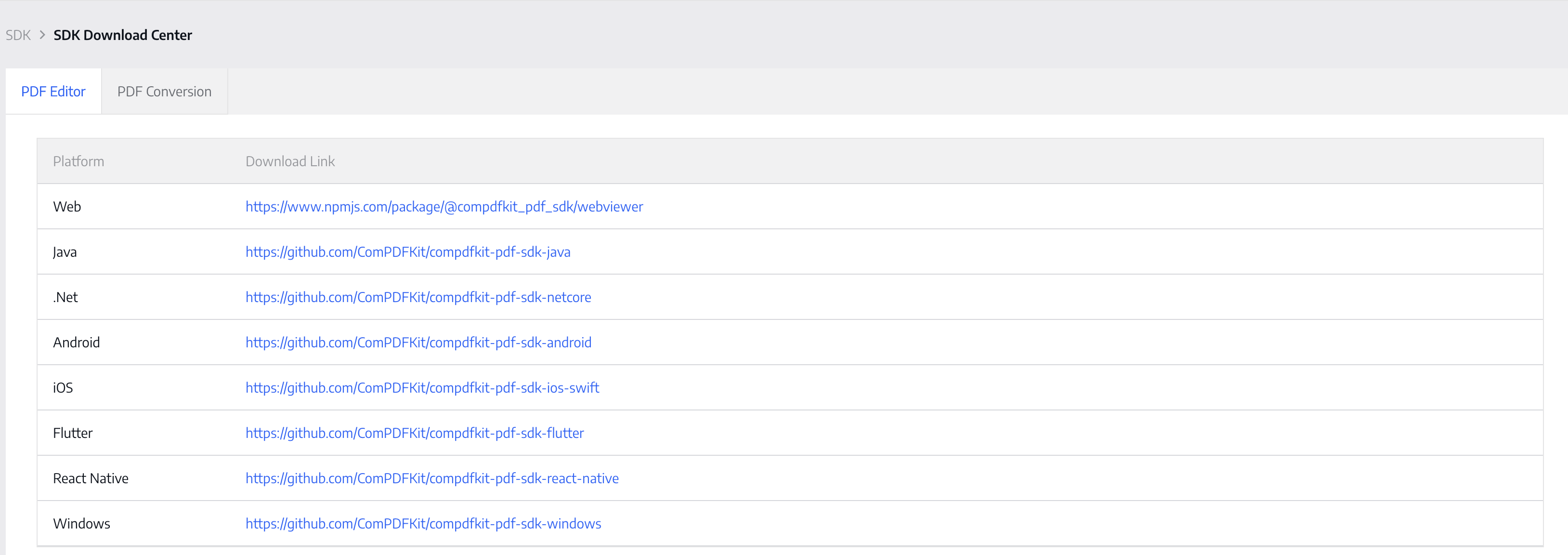
SDK Download Center
In the SDK Download Center, you can access the latest ComPDF SDK resources, including:
- PDF SDK
- Conversion SDK
You can also refer to our developer documentation to quickly set up your development environment and integrate the required features.
API Management: Dashboard, Assets, Projects, Reference, and Webhook
Here, you can centrally manage API projects, API keys, asset details, API references, as well as API call logs and webhook configurations across all your projects.
The Open API Dashboard provides real-time API usage data with clear visual charts, giving you better visibility into system performance and project activity. With the Dashboard, you can:
- Track assets and API usage
- Monitor integration performance
- Access detailed reports on failed requests for troubleshooting
- View the Graphical timeline of your successful and failed API requests for a given integration
- Check the Log of the specific API calls made for an integration, which can be filtered by projects, PDF tools, and time, or downloaded as an Excel file
Using the API Dashboard
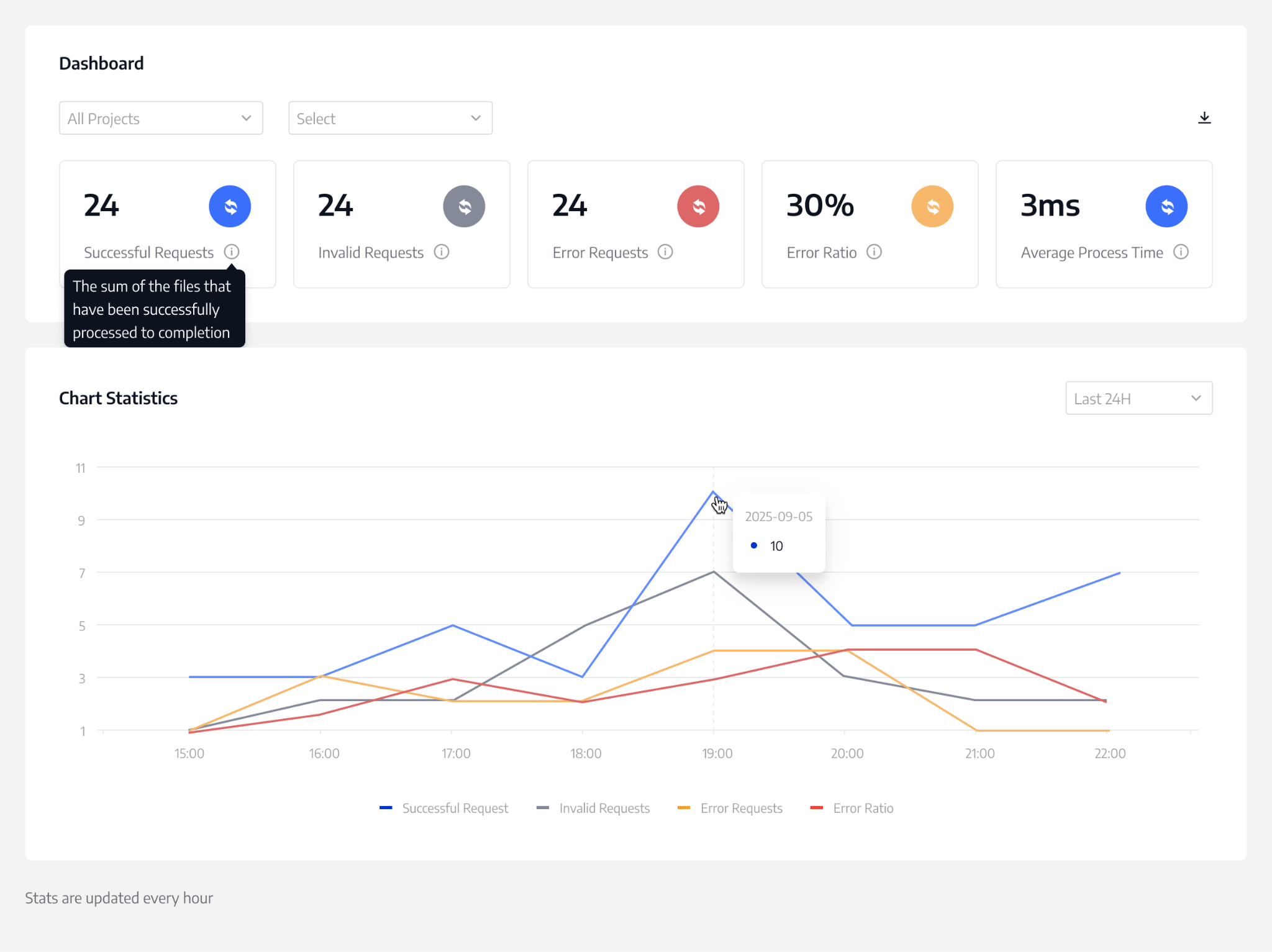
The API Dashboard showcases metrics and details for your API calls, offering a filter option for focused data viewing. It presents graphed metrics for a selected time frame, defaulting to the Last 24 hours, across four tabs:
- Successful Requests: The sum of the files that have been successfully processed to completion.
- Error Requests: The sum of the files that failed to be processed.
- Error Ratio: The percentage of the files that failed to process.
- Average Process Time: Average Process Time is the average processing time of the original file from the beginning to the end.
Please note: Average Process Time may be affected by the size of the file you are uploading and the network environment.
The API Dashboard allows you to download the log of all API calls by clicking the download icon button. The log data is saved in an Excel file and mirrors the data fields displayed in the API call graph view.
API Assets
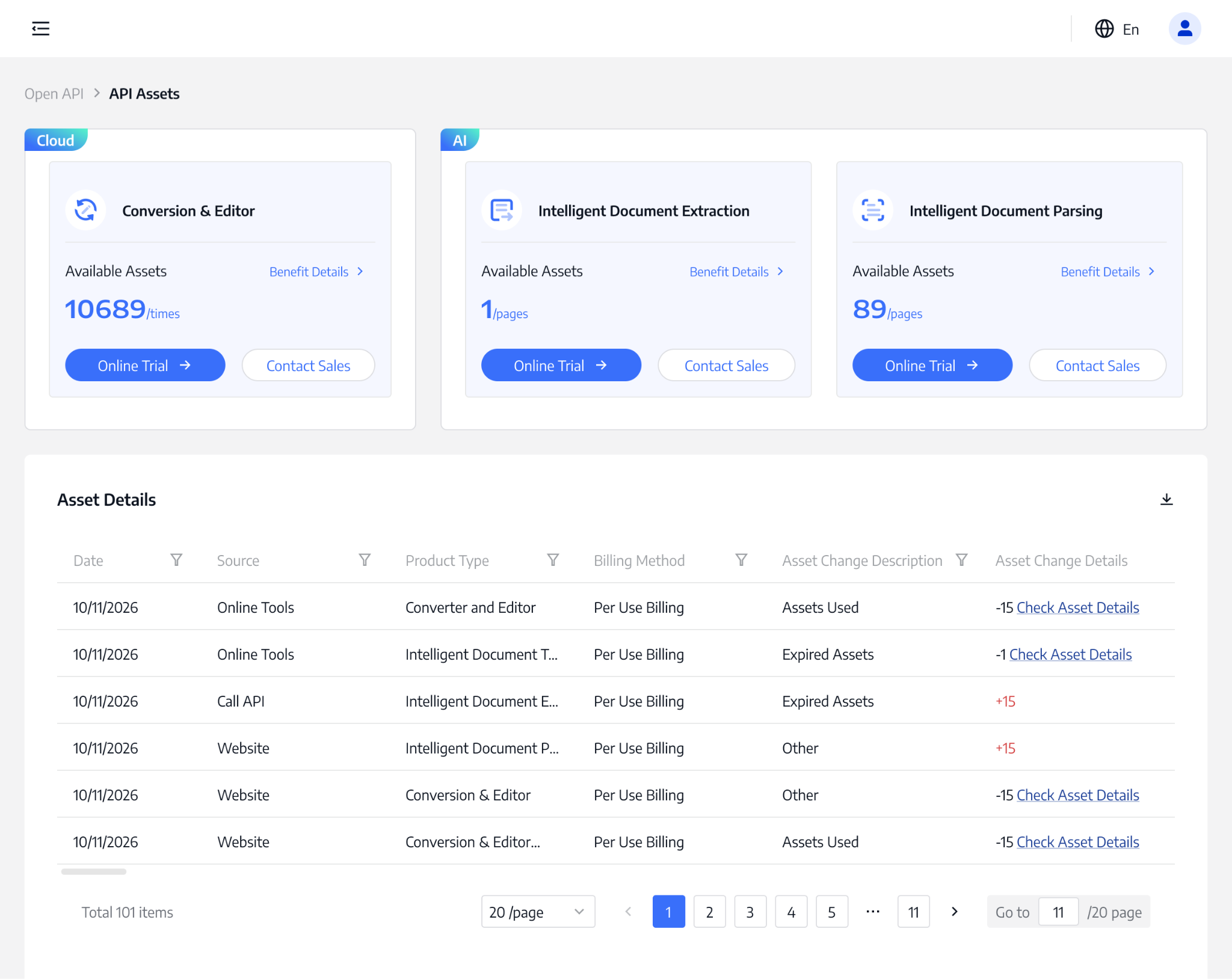
The API Assets page includes:
- PDF conversion and editing assets
- AI document parsing assets
- AI document extraction assets
Here, you can view detailed usage records and remaining quotas. All assets are available for both online tools and API usage.
Plans
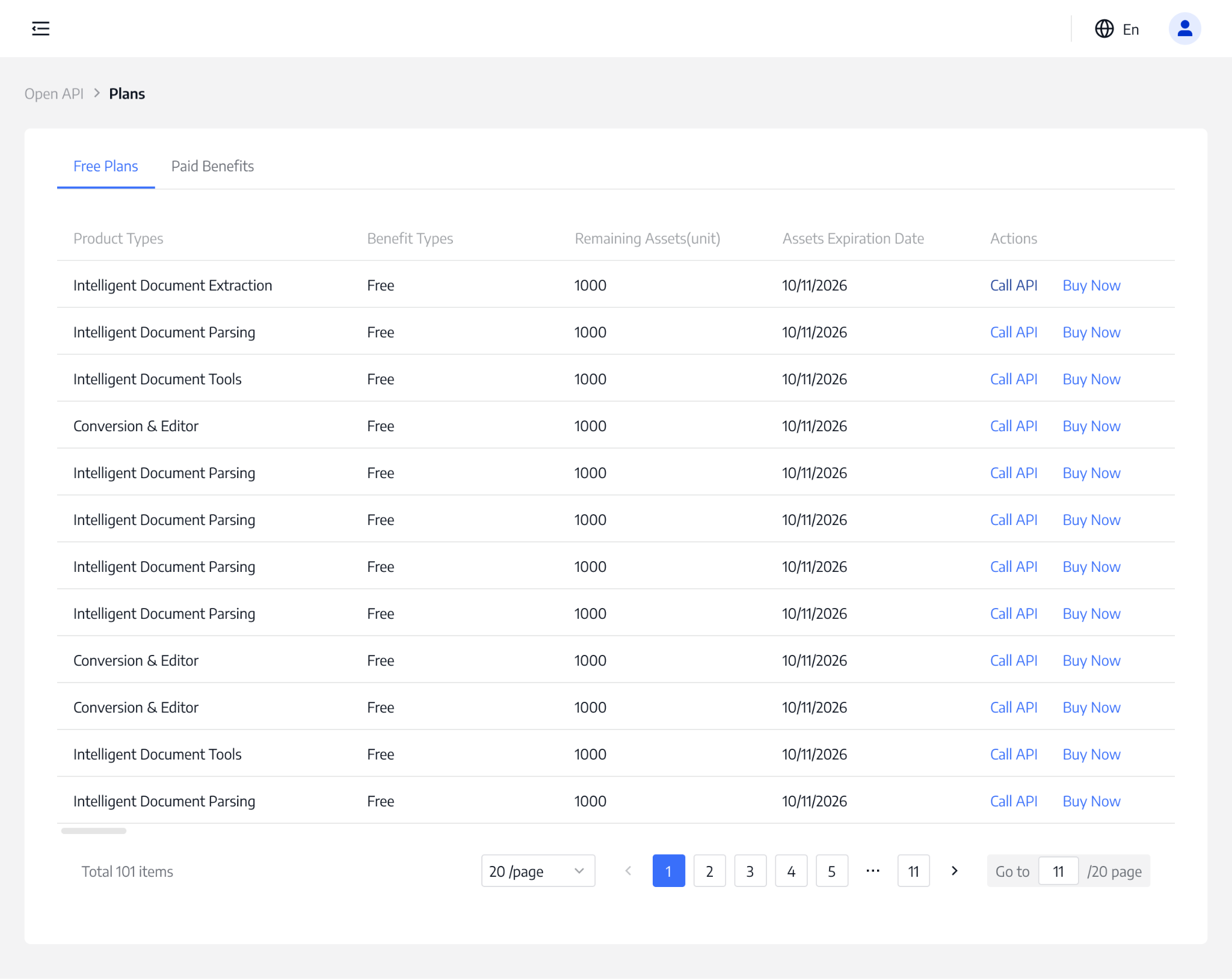
API Plans include both free and paid tiers.
After registering for ComPDF Portal, you receive a monthly free quota for testing and exploring online tools. If you upgrade to a paid plan, you can also access:
- Current paid quota balance
- Detailed usage records
- Subscription plan status
This helps you better manage and control API costs.
Keys & Projects
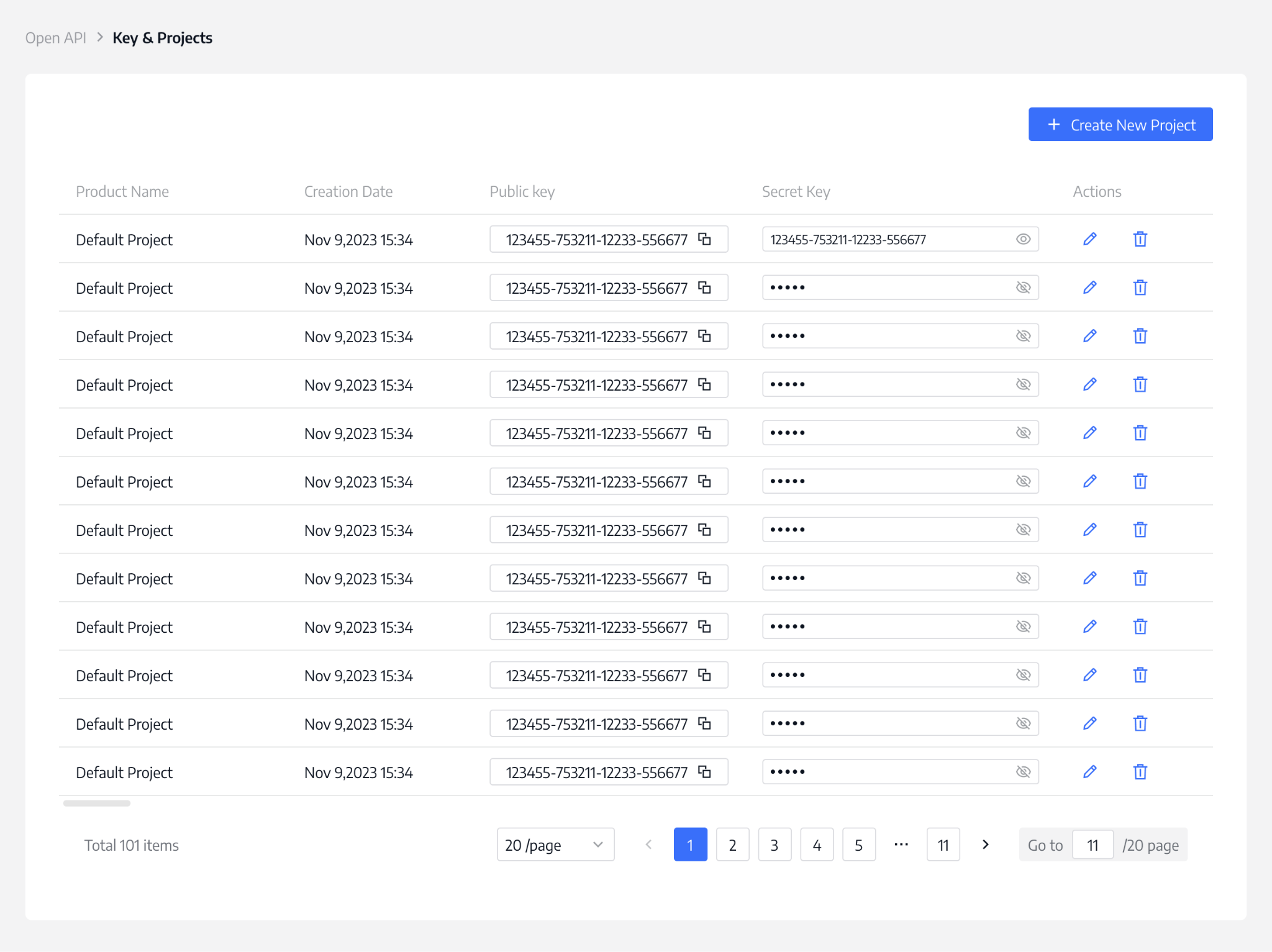
Each API Key consists of a Public Key and a Secret Key, which are required for authentication when integrating PDF APIs and sending requests.
After registration, a default project is created automatically. You can also create and manage multiple projects or sub-projects to separate different business scenarios and track usage independently.
Key features:
- No limit on the number of projects
- Projects must have unique names to avoid duplicates
- Each project has distinct and independent public and secret keys
Note: All API usage across projects is counted toward your account’s total quota. Once the quota is exhausted, API requests across all projects will stop processing.
API Reference
The upgraded API Reference provides comprehensive documentation and sample code to help you integrate faster.
It includes:
- Comprehensive guides for API calls
- Sample code
- Parameter descriptions
- Request and response examples
- Error code references
Webhooks
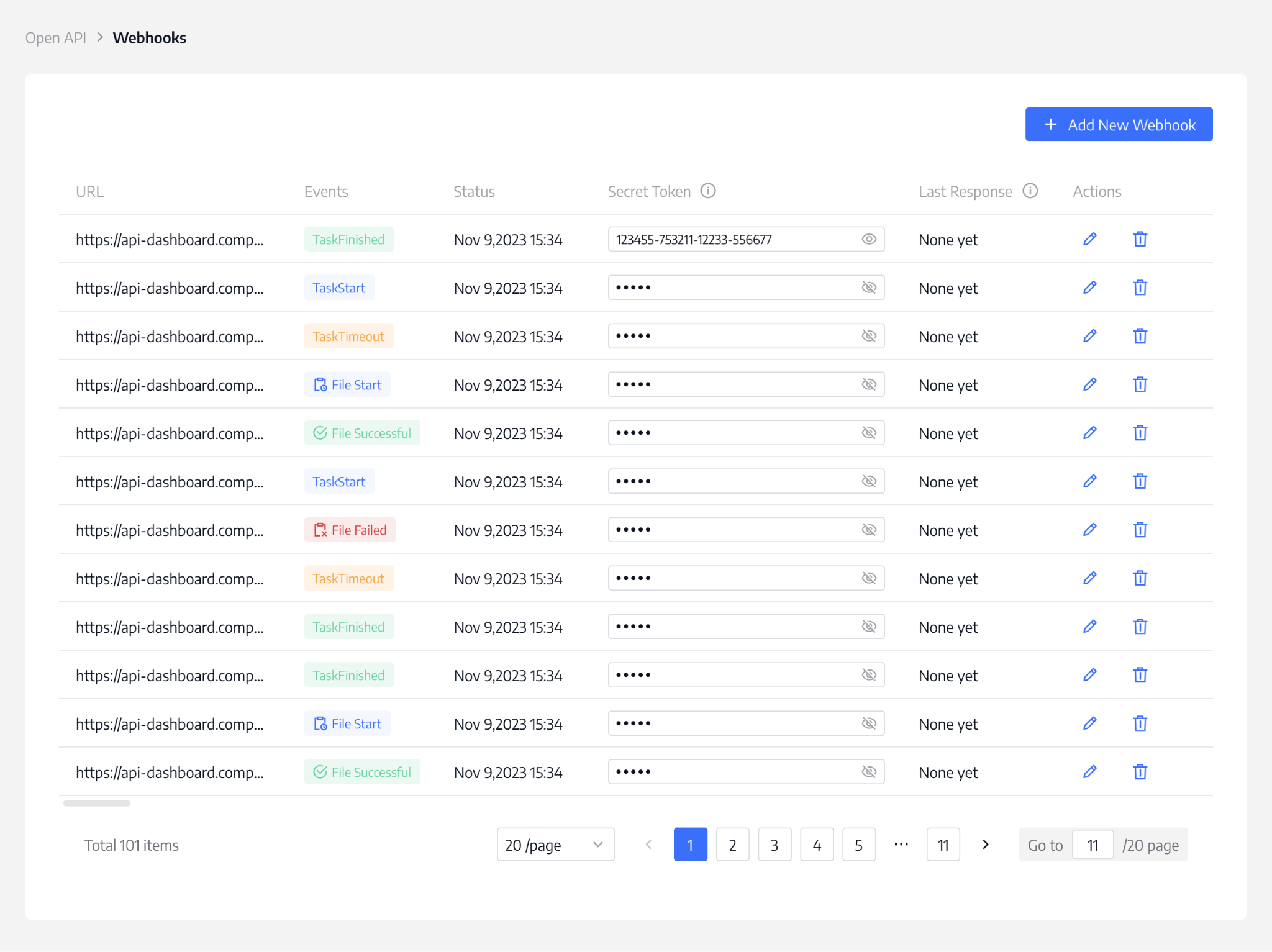
Webhooks are reverse APIs that automatically send task or file information to the client you specify when our server updates it in the Webhooks paradigm. You can set up Webhooks to avoid periodic calls to APIs.
You can configure multiple Webhooks for event monitoring, monitoring six types of events:
- task.start
- task.finish
- task.overdue
- file.start
- file.success
- file.failed
For additional event dimensions, please reach out to us.
Obtain a Free Trial for AI DocSlight
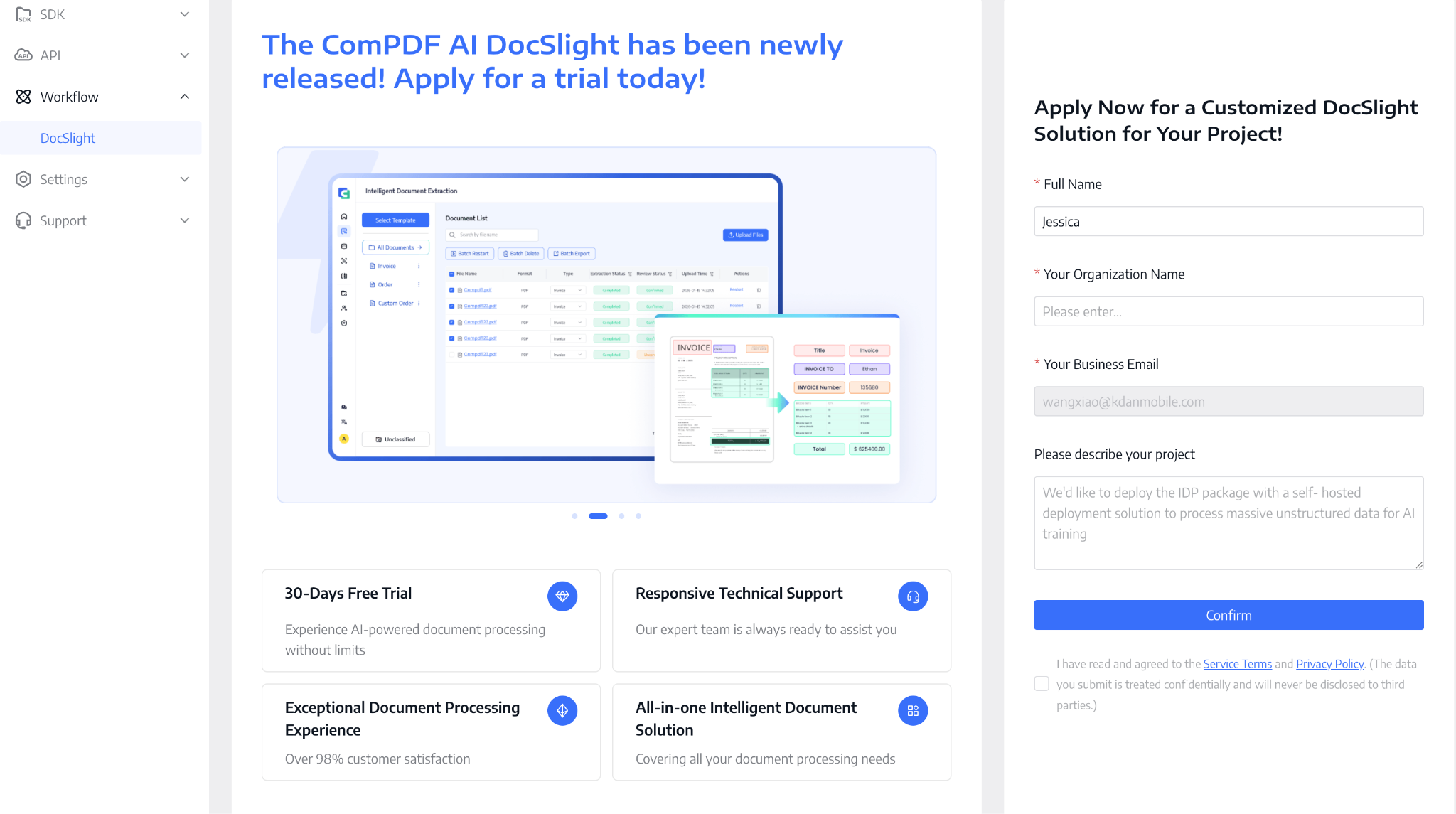
Click Workflow to enter our newly launched intelligent document workflow solution - the AI DocSlight free trial application portal.
Simply fill in a short form to apply for a 30-day free trial. During the trial period, you can also schedule a live demo with our engineers and receive dedicated one-on-one technical support to help you integrate and build more efficiently.
From document parsing to information extraction, and from unstructured content to structured data assets, AI DocSlight delivers an end-to-end intelligent document processing solution - making complex document workflows simpler, smarter, and fully automated.
Account & Company Info Settings
Here, you can manage both your account information and company details in one place.
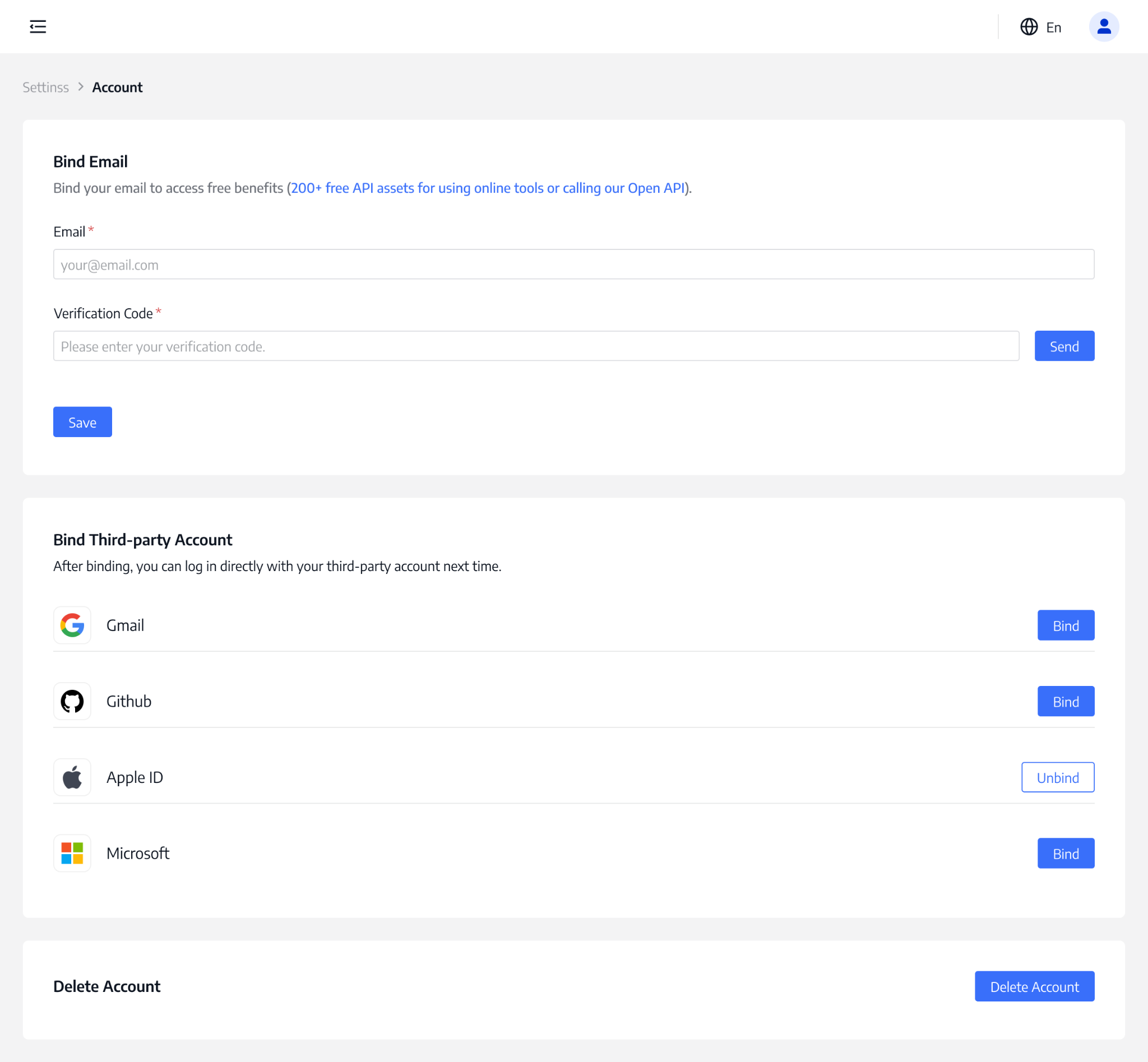
Account
In the Account section, you can manage your personal settings, including updating your username and changing your login password. Once your password is updated, you can use it for secure access the next time you log in.
You can also link your account with third-party login providers to make sign-in easier and more secure. Supported platforms include Gmail, GitHub, Apple ID, and Microsoft accounts. After linking, you can log in directly with a single click—no need to enter your password each time.
Company Info
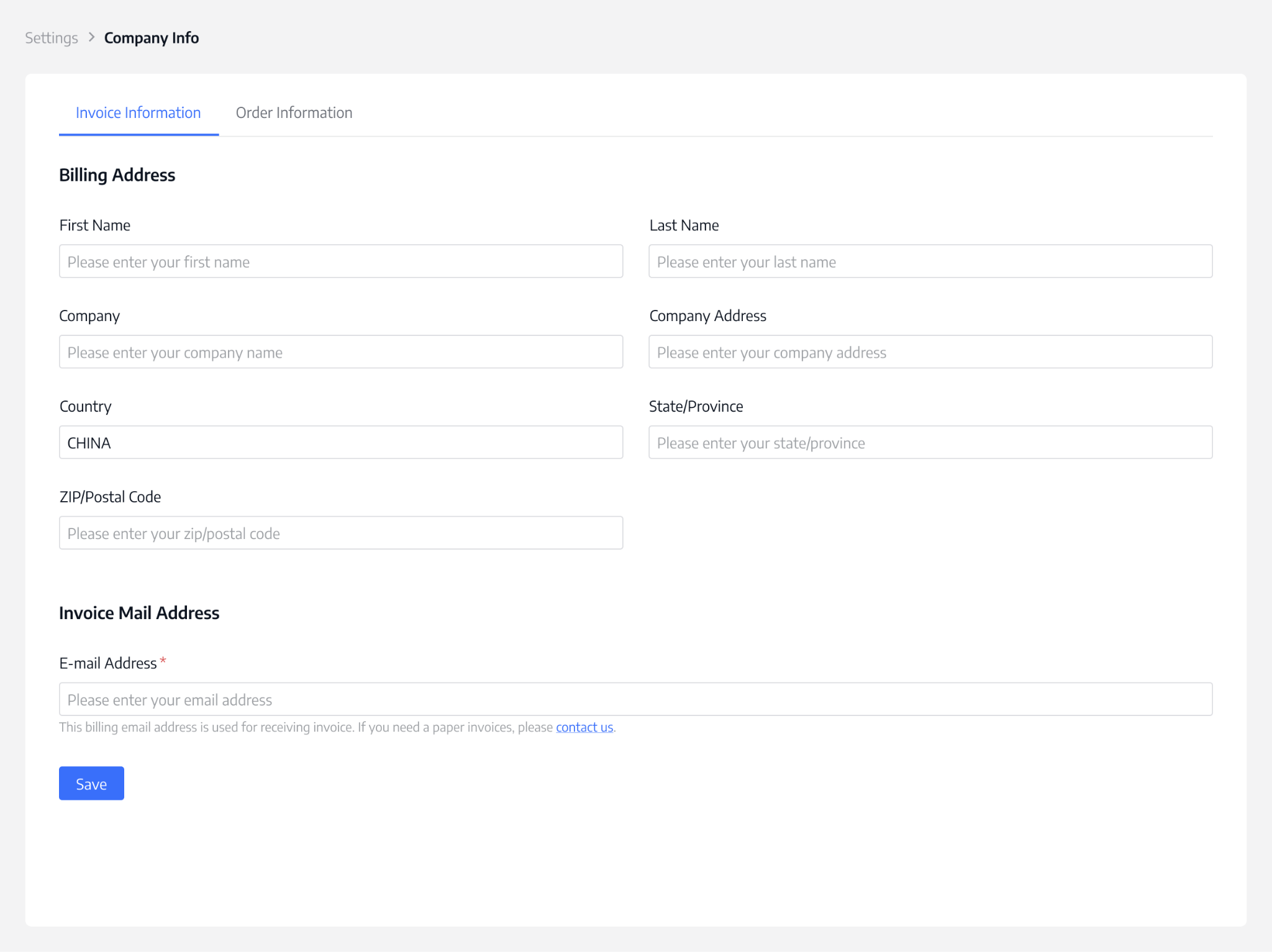
In the Company Info section, you can centrally manage your business billing and invoicing details, including:
- Invoice information settings
- Billing information management
- Invoice receipt email configuration
You can also view and manage all your order history in one place, making it easier to track purchases and billing activities at any time.
Support: User Guide & Technical Support
In the Support module of the ComPDF Portal backend, you can quickly access comprehensive technical support and service channels.
Guides
This section provides complete usage guides for the ComPDF Portal, helping you quickly understand each module.
Technical Support
If you encounter any issues during product usage, you can access one-on-one technical support at any time. Whether you are on a free trial or a paid plan, we provide continuous assistance to ensure your projects run smoothly.
Contact Us
If you have custom requirements or complex document processing scenarios, you can submit a request via Contact Us. Our team will evaluate your business needs and provide tailored document processing solutions and technical recommendations.