
PDF Generation Template Editor
Open-source visual PDF generation engine with customizable templates and developer-friendly APIs.
Before starting, please make sure that you have already met the following prerequisites.
ComPDF AI provides two types of license key: 60-day free trial license, and formal license.
How to Get Free Trial License
Contact our sales team and we'll send you a 60-day free trial license for ComPDF AI.
How to Get Formal License
ComPDF AI is a commercial product that requires a license for application release. Any documents, sample code, or source code distribution from the released package of ComPDF AI to any third party is prohibited.
Contact us to obtain the ComPDF AI package.
ComPDF AI is distributed as a Docker container. To run it on your computer, you need to install the Docker runtime environment suitable for your operating system.
Please follow the instructions on the Docker official website to install and start Docker Engine.
After installing Docker, you can install Docker Compose by following the installation instructions.
Visit the official NVIDIA Drivers page to download and install the correct driver.
Verify that your GPU is running and accessible.
The following example is Ubuntu 22.04 - NVIDIA T4
# Make sure the server has gcc and make environments installed. You can check the gcc version with the following command
gcc -v
# You can check the make version with the following command
make -v
# Download the installation package
wget https://us.download.nvidia.com/tesla/550.54.15/NVIDIA-Linux-x86_64-550.54.15.run
# Execute the installation package
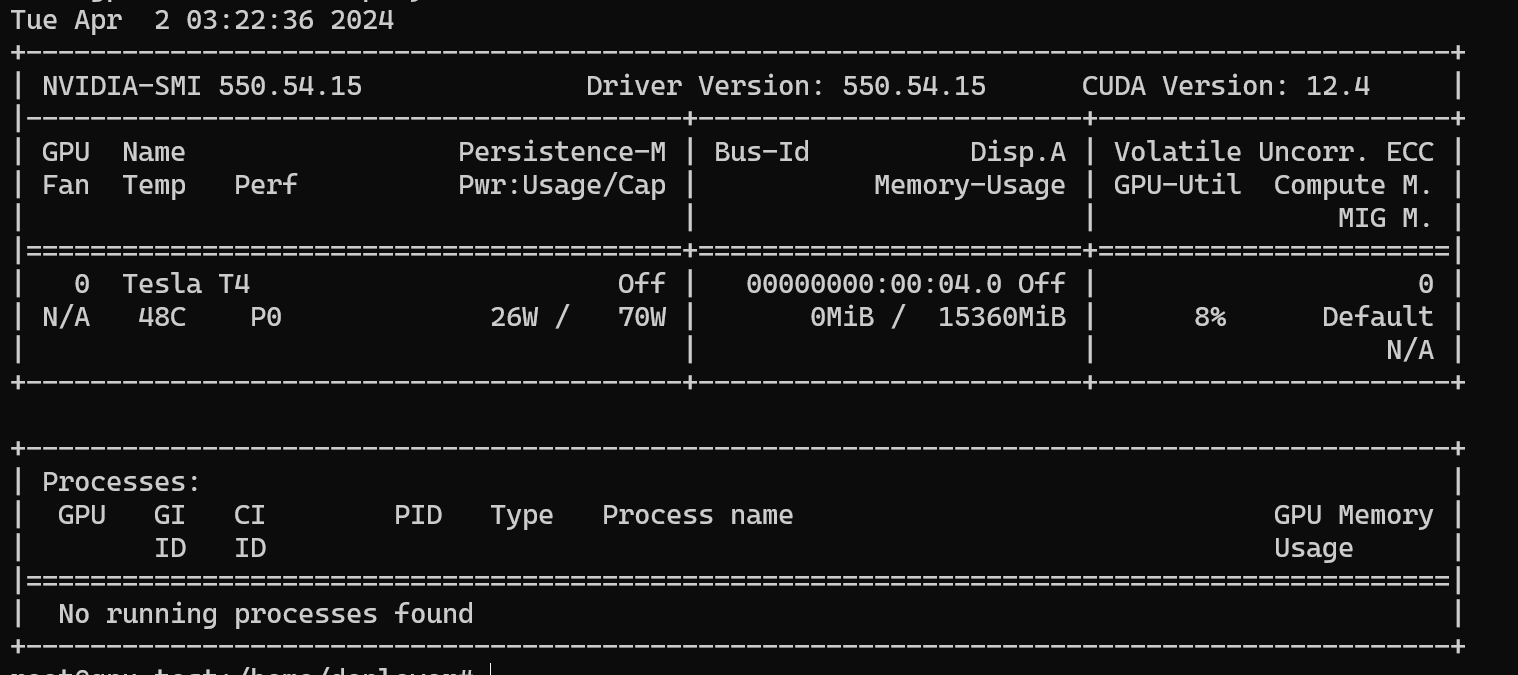
sudo sh NVIDIA-Linux-x86_64-550.54.15.runUse nvidia-smi to check if the installation is successful. If the following screenshot appears, the driver has been successfully installed
Please follow the official installation instructions of nvidia-container-toolkit to install it.
The following example is based on Ubuntu 22.04 - NVIDIA T4
curl -fsSL https://nvidia.github.io/libnvidia-container/gpgkey | sudo gpg --dearmor -o /usr/share/keyrings/nvidia-container-toolkit-keyring.gpg \
&& curl -s -L https://nvidia.github.io/libnvidia-container/stable/deb/nvidia-container-toolkit.list | \
sed 's#deb https://#deb [signed-by=/usr/share/keyrings/nvidia-container-toolkit-keyring.gpg] https://#g' | \
sudo tee /etc/apt/sources.list.d/nvidia-container-toolkit.listsudo apt-get updatesudo apt-get install -y nvidia-container-toolkitRun nvidia-container-toolkit -version to verify that the installation was successful
sudo nvidia-ctk run-configure --runtime=docker# Restart the Docker daemon
sudo systemctl restart docker