
PDF Generation Template Editor
Open-source visual PDF generation engine with customizable templates and developer-friendly APIs.
The arc measurement tool can be used to draw curves and arcs to measure the arc length of the user selected shape.
There are two types of arc measurement tools: curve measurement tools and arc measurement tools. -After selecting the curve measurement tool, the user can use the pointer to click on the starting and ending points, then drag the two control points in the middle to achieve the desired curvature, and measure the arc length between the starting and ending points. -The arc measurement tool requires users to click on three control points, namely the starting point, midpoint (the point on the arc), and endpoint, to draw an arc. The measurement results include radius, arc length, and angle.
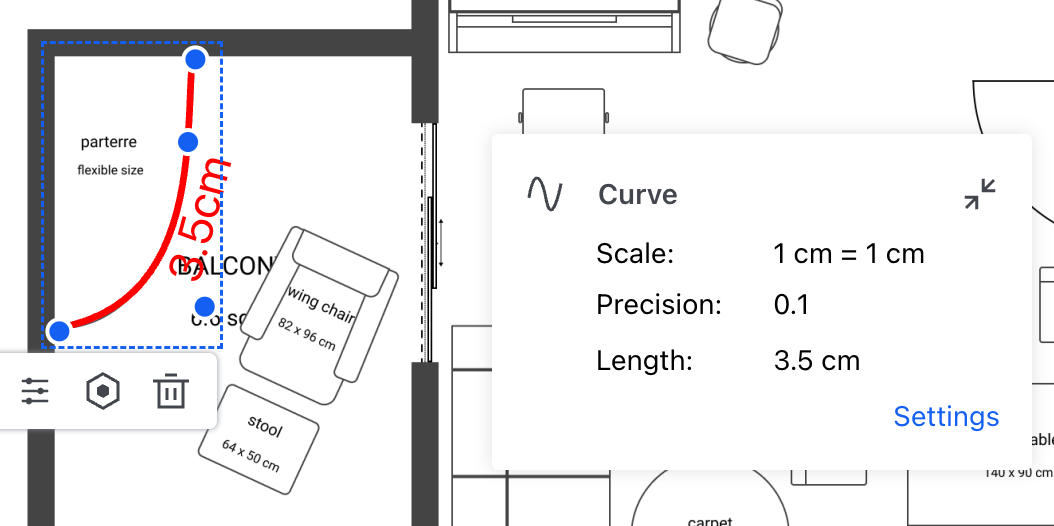
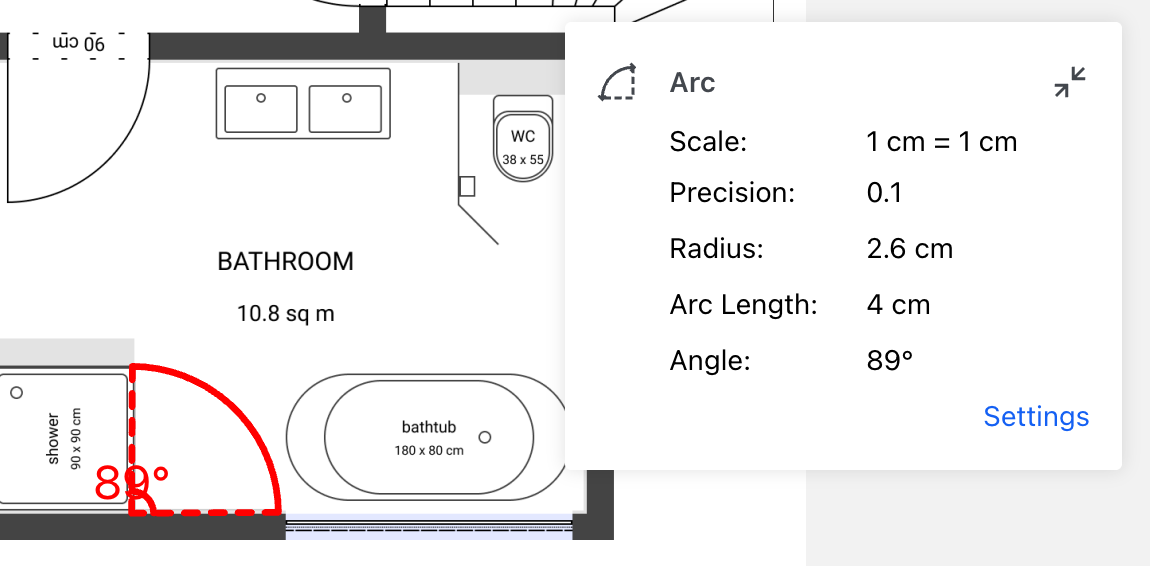
After configuring the measurement properties, you can create an arc length measurement annotation by following these steps:
curveCreateTool; if creating an arc measurement, use arcCreateTool), and attach the default properties to the measurement annotation when creating. Create a measurement annotation using the createMeasurementAnnotation method of the annotationManager class.The following is an example code for creating a curve measurement annotation:
ComPDFKitViewer(...)
  .then(instance => {
    const { docViewer, UI } = instance;

    docViewer.addEvent('documentloaded', async () => {
        // Enter the curve measurement annotation creation mode.
        UI.setToolbarGroup('toolbarGroup-Measurement');
        UI.setActiveTool('measureCurve');

        // Set default measurement properties for the annotation.
        const defaults = docViewer.pdfViewer.measurementTool.curveCreateTool.defaults;
        const defaultStyles = docViewer.pdfViewer.measurementTool.curveCreateTool.defaultStyles;

        const annotationData = {
            measure: 1,
            type: 'ink',
            measureType: 'arc',
            captionType: 'generic',
            pageIndex: 0,
            rect: {
                left: 106,
                top: 323,
                right: 390,
                bottom: 440
            },
            inkPointes: [
                [
                    { PointX: 106, PointY: 366 },
                    { PointX: 200, PointY: 440 },
                    { PointX: 288, PointY: 323 },
                    { PointX: 390, PointY: 367 }
                ]
            ],
            ...defaults,
            ...defaultStyles
        };

        // Create a measurement annotation.
        const annotation = await docViewer.annotationManager.createMeasurementAnnotation(annotationData);
        // Render the annotation.
        docViewer.annotationManager.drawAnnotationsFromList(annotation);
});The following is an example code for creating a arc measurement annotation:
ComPDFKitViewer(...)
  .then(instance => {
    const { docViewer, UI } = instance;

    docViewer.addEvent('documentloaded', async () => {
        // Enter the arc measurement annotation creation mode.
        UI.setToolbarGroup('toolbarGroup-Measurement');
        UI.setActiveTool('measureArc');

        // Set default measurement properties for the annotation.
        const defaults = docViewer.pdfViewer.measurementTool.arcCreateTool.defaults;
        const defaultStyles = docViewer.pdfViewer.measurementTool.arcCreateTool.defaultStyles;

        const annotationData = {
            measure: 1,
            type: 'ink',
            measureType: 'arc',
            pageIndex: 0,
            arcPoints: [
                { x: 92, y: 225 },
                { x: 233, y: 169 },
                { x: 143, y: 98 }
            ],
            inkPointes: [
                [
                    { PointX: 92, PointY: 225 },
                    { PointX: 233, PointY: 169 },
                    { PointX: 143, PointY: 98 }
                ]
            ],
            ...defaults,
            ...defaultStyles
        };

        // Create a measurement annotation.
        const annotation = await docViewer.annotationManager.createMeasurementAnnotation(annotationData);
        // Render the annotation.
        docViewer.annotationManager.drawAnnotationsFromList(annotation);
    });