
PDF Generation Template Editor
Open-source visual PDF generation engine with customizable templates and developer-friendly APIs.
The popups in WebViewer UI are small floating menus.
Currently, there are 4 types of popups in WebViewer UI that support customization. Each popup is an object on instance.UI:
textPopup): appears after the selected text in the document.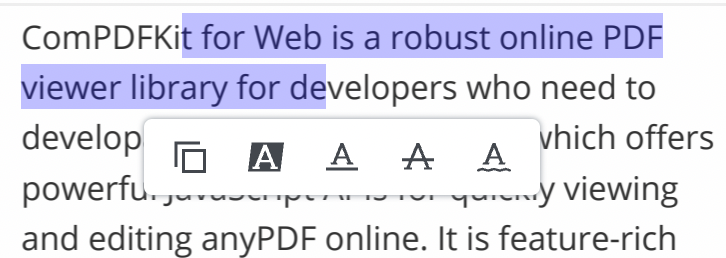
annotationPopup): appears after selecting the annotation.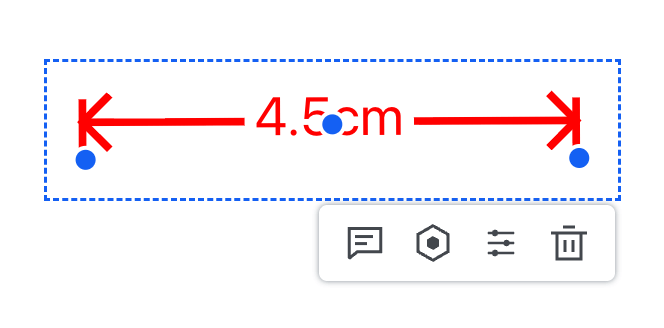
snippingToolPopup): appears after the selected capture area.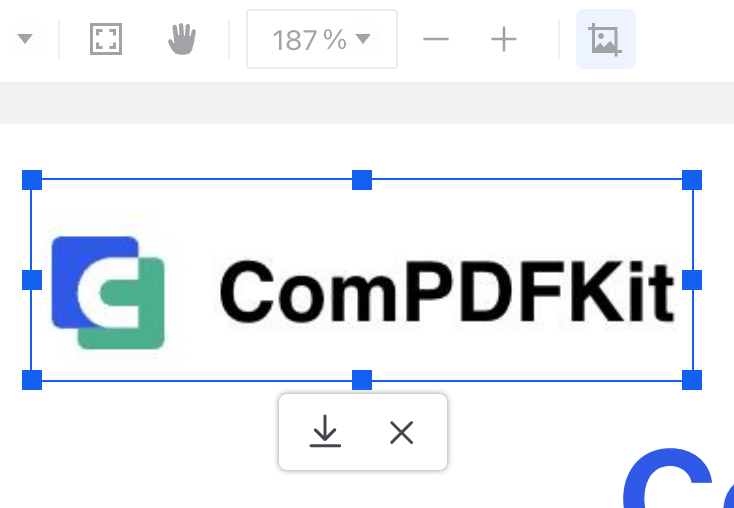
contentEditPopup): appears after selecting the content editing block.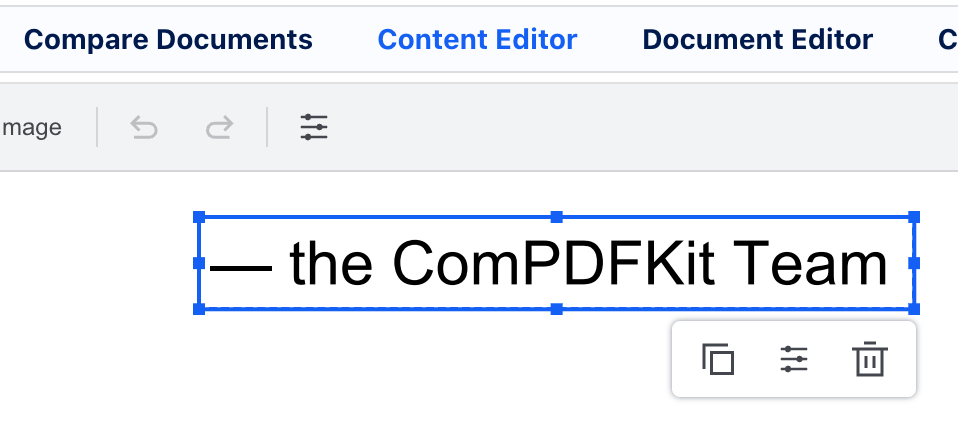
There are a number of ways you may want to customize Popups. To name a few:
The WebViewer UI provides APIS to easily handle each of these cases and more.
The unique identifier of the items in the popup can be retrieved using the getItems API. It returns an array of objects where each object contains a key that denotes the dataElement.
import ComPDFKitViewer from "@compdfkit_pdf_sdk/webviewer";

const viewer = document.getElementById('webviewer');

ComPDFKitViewer({
  path: '/',
  initialDoc: 'Your PDF Url',
  licenseKey: 'Input your license here'
}, viewer)
  .then((instance) => {
    instance.UI.textPopup.getItems();
});Adding new items can be done using the add API. Each item is an object with a type and a dataElement. The supported types are customButton, statefulButton, toggleButton, toolButton and divider, and their properties are the same as the header items.
Add new items at the beginning of the popup
To add new items at beginning of the popup, do not provide a second parameter to the add function.
instance.UI.textPopup.add({
  type: 'customButton',
  dataElement: 'logTextButton',
  img: 'path/to/image',
  onClick: () => console.log(instance.Core.documentViewer.getSelectedText())
});Add new items at a specific location in the popup
There are 2 ways to do this:
data element.getItems API. Then retrieve the data element from the item at that index.// insert after the last element in the popup
const textPopupItems = instance.UI.textPopup.getItems();
const lastItem = textPopupItems[textPopupItems.length - 1];
instance.UI.textPopup.add({
type: 'customButton',
dataElement: 'lastButton',
img: 'path/to/image',
onClick: () => console.log('clicked')
}, lastItem.dataElement);Existing items can be modified using update API.
Replace existing items
instance.UI.textPopup.update([{
  type: 'customButton',
  dataElement: 'customButton1',
  img: 'path/to/image',
  onClick: () => console.log('clicked 1')
}, {
  type: 'divider',
  dataElement: 'customDivider'
},
{
  type: 'customButton',
  dataElement: 'customButton2',
  img: 'path/to/image',
  onClick: () => console.log('clicked 2')
}]);Update ordering of items in the popup
const textPopupItems = instance.UI.textPopup.getItems().reverse();
instance.UI.textPopup.update(textPopupItems);update API. This is equivalent to deleting all items.// Hide elements using disableElements.
instance.UI.disableElements('copyTextButton');
// Delete elements using update.
instance.UI.textPopup.update([]);