
PDF Generation Template Editor
Open-source visual PDF generation engine with customizable templates and developer-friendly APIs.
If you haven't get a license key, please check out how to obtain a license key.
ComPDF SDK currently supports two authentication methods to verify license keys: online authentication and offline authentication.
Learn about:
What is the authentication mechanism of ComPDF's license?
What are the differences between Online Authentication and Offline Authentication?
Accurately obtaining the license key is crucial for the application of the license.
In the email you received, locate the XML file containing the license key.
Copy the license_key_rn.xml file into the following directory:android/app/src/main/assets/
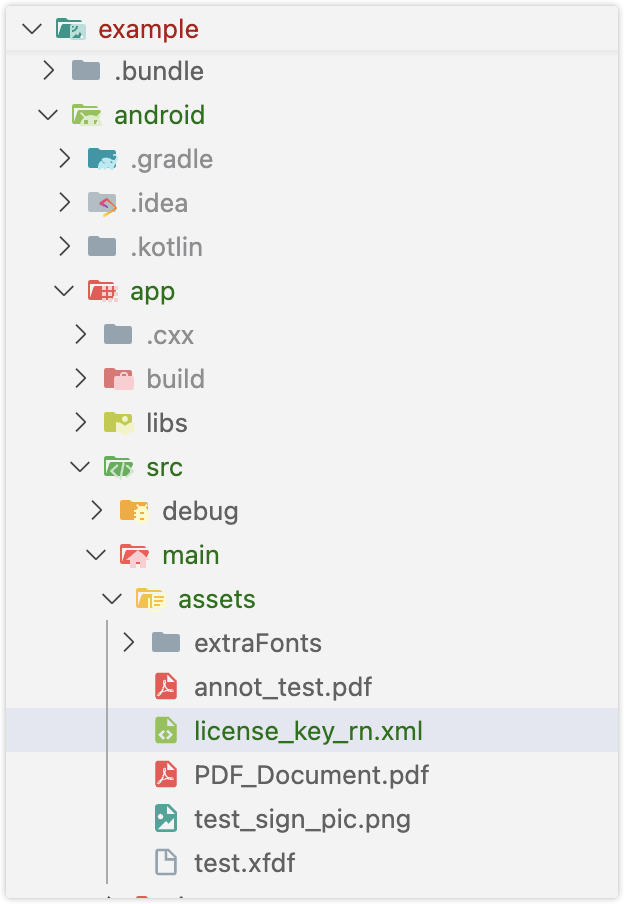
ComPDFKit.initWithPath('assets://license_key_rn.xml');license_key_rn.xmlfile into your project’s ios/directory.
// Copy the license_key_rn_ios.xml file into your iOS project directory (or a readable location):
ComPDFKit.initWithPath('license_key_rn.xml');You can also store the License file in the device’s local storage and initialize the SDK using its file path:
// Obtain the License file through the local storage path of the device for initialization
ComPDFKit.initWithPath('/data/data/0/your_packages/files/license_key_rn.xml');